Working with ICU Plurals and Select Forms
Write, validate, and fix ICU MessageFormat plural and select strings directly in StringLane, without leaving the editor.
Last updated
ICU MessageFormat is a standard for writing strings that change based on a number or a choice: things like "1 item" vs "2 items", or gender-specific phrasing. Flutter ARB, iOS .stringsdict, and i18next all support ICU. StringLane has built-in helpers to write and validate these strings correctly.
New to the syntax? Start with What Is ICU MessageFormat? for a plain-English overview, then come back here to write and validate it in StringLane.
The ICU syntax you write in StringLane#
A basic plural string looks like this:
{count, plural, one {# item} other {# items}}Breaking it down:
count: the variable nameplural: the ICU message typeone,other: plural categories that apply to different numbers# item: the text, where#is replaced by the number at runtime
Plural categories#
ICU defines six plural categories. Not all languages use all six:
English only uses one and other. Arabic uses all six. Ukrainian uses one, few, many, and other. StringLane's validation engine checks that each locale has the plural categories required for that language.
A missing many in French, Spanish, Italian, Portuguese or Catalan is a warning, not an error, because only counts like 1,000,000 use it. Add it if your app can show such a count: i18next shows your fallback language's text for it, not your other form.
Writing a select form#
select works like a conditional:
{gender, select, male {He edited} female {She edited} other {They edited}}Use select for grammatically gendered strings. Unlike plural, select has no standard category set. You define the options yourself. other is always required as a fallback.
Writing plurals in StringLane#
Using the ICU Format Helper#
When you're editing a cell, click the {} button next to the value (or press ⌘I) to open the ICU Format Helper. It shows a guided form where you fill in each plural category. StringLane assembles the correct ICU syntax from your inputs.
The ICU button is visible on every row of an ICU-supporting format. You can use it to promote a plain string into an ICU plural without typing the syntax first.
Using the Visual ICU Editor#
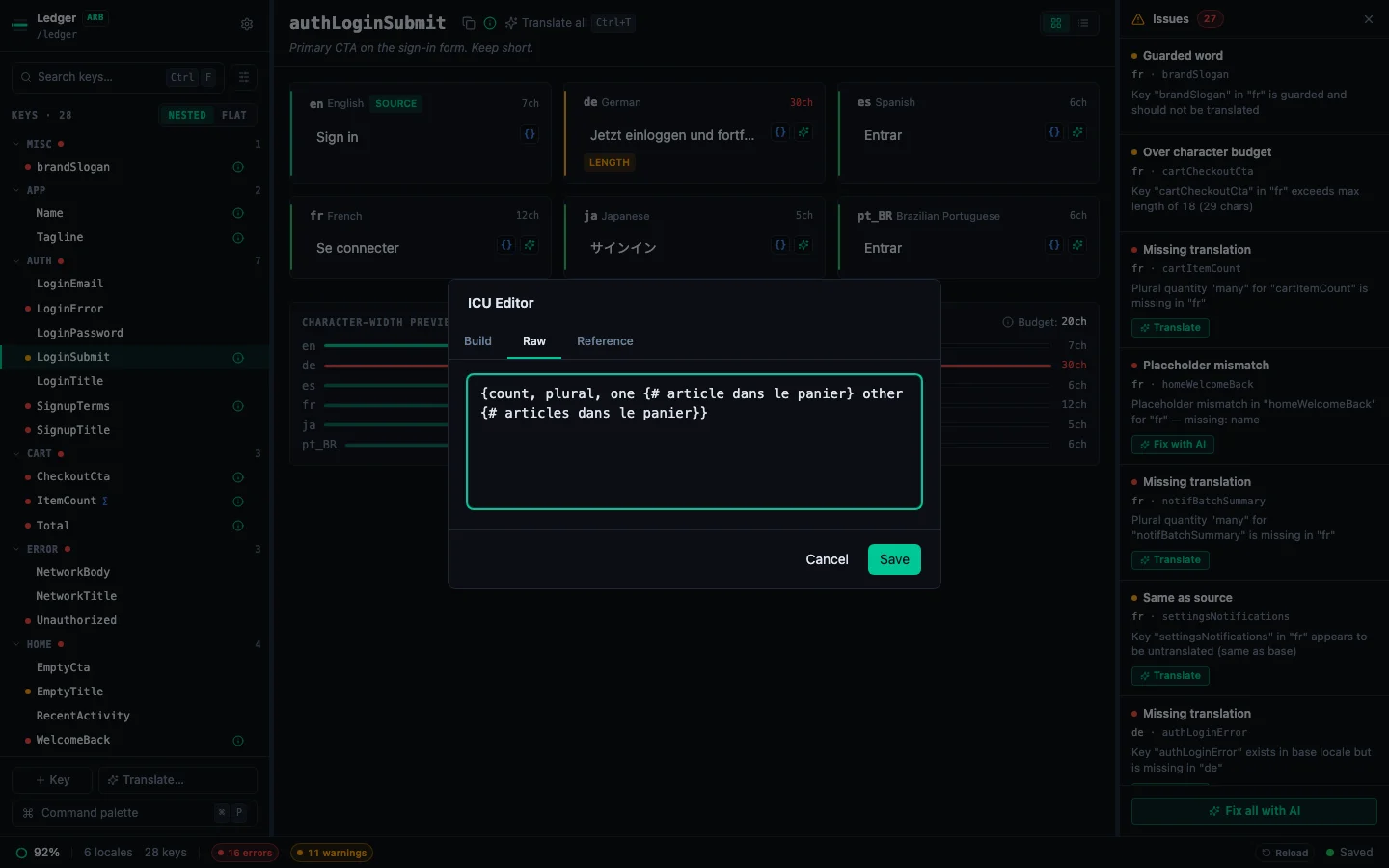
For more complex strings, the Visual ICU Editor shows each category as its own field and previews the output in real time. The editor opens on the Build tab; switch to Raw to drop into the ICU textarea, or Reference for a copy-ready cheat-sheet of plural / select / selectordinal templates.
The visual editor validates as you type, if a placeholder like # is missing in one category but present in another, a warning appears immediately.
Per-locale plural panels#
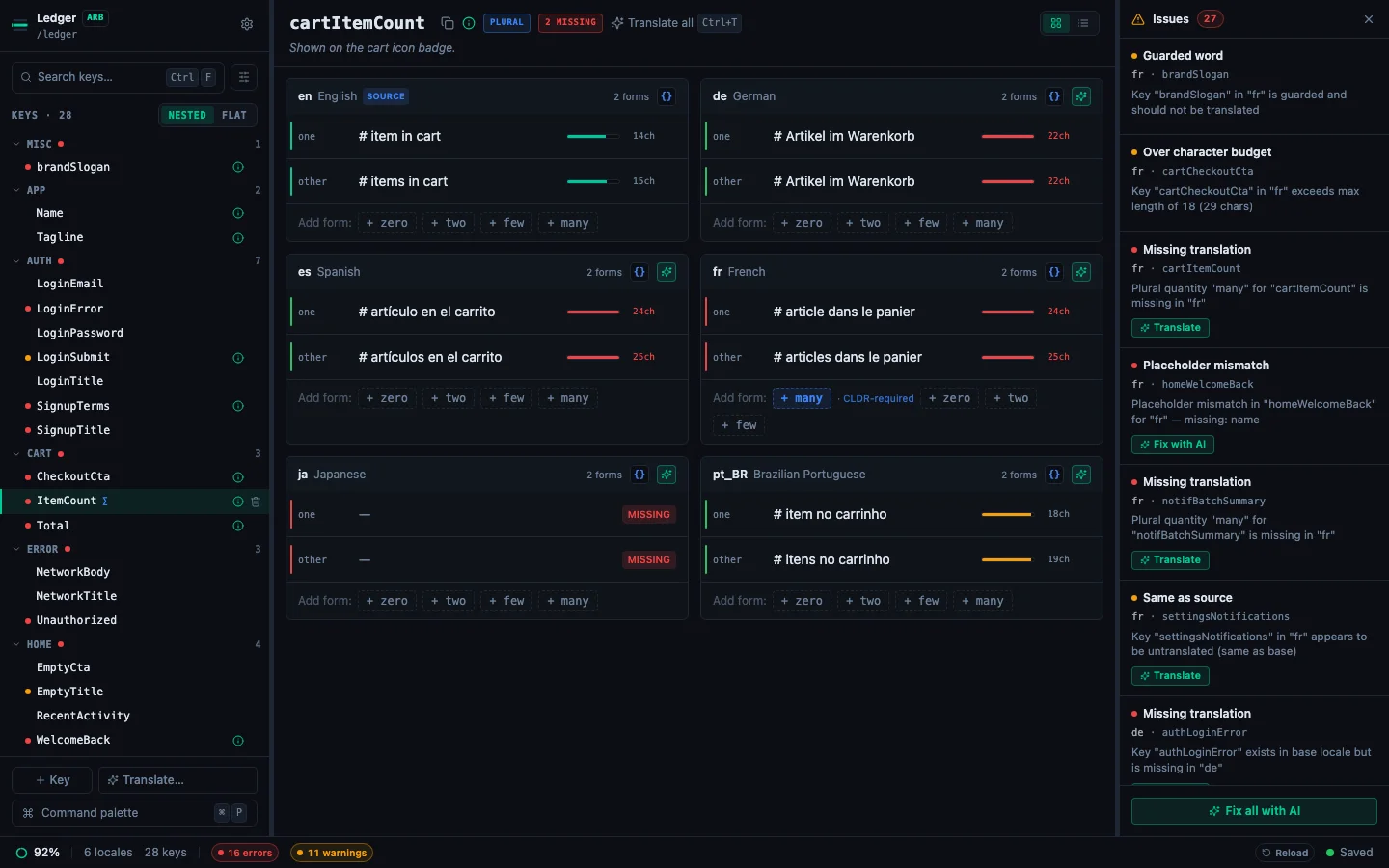
Plural keys render as one panel per locale in the detail pane. Each panel has a {} button in its header that pre-fills the ICU editor's Build tab with all current plural forms for that locale. Each quantity row has its own value field, character-width bar, and validation rail.
When a locale needs a plural category that the base locale doesn't have (e.g. Ukrainian needs few and many but English only has one/other), the Add form: chips at the bottom of that locale's panel highlight the CLDR-required categories so they stand out from optional ones.
Understanding ICU validation badges#
StringLane validates every translation when a project loads and after each edit. ICU issues appear as a red ICU badge on the affected cell.
Common ICU errors and their fixes:
Click the ICU badge to see the full error message in a tooltip.
Fix-with-AI for ICU errors#
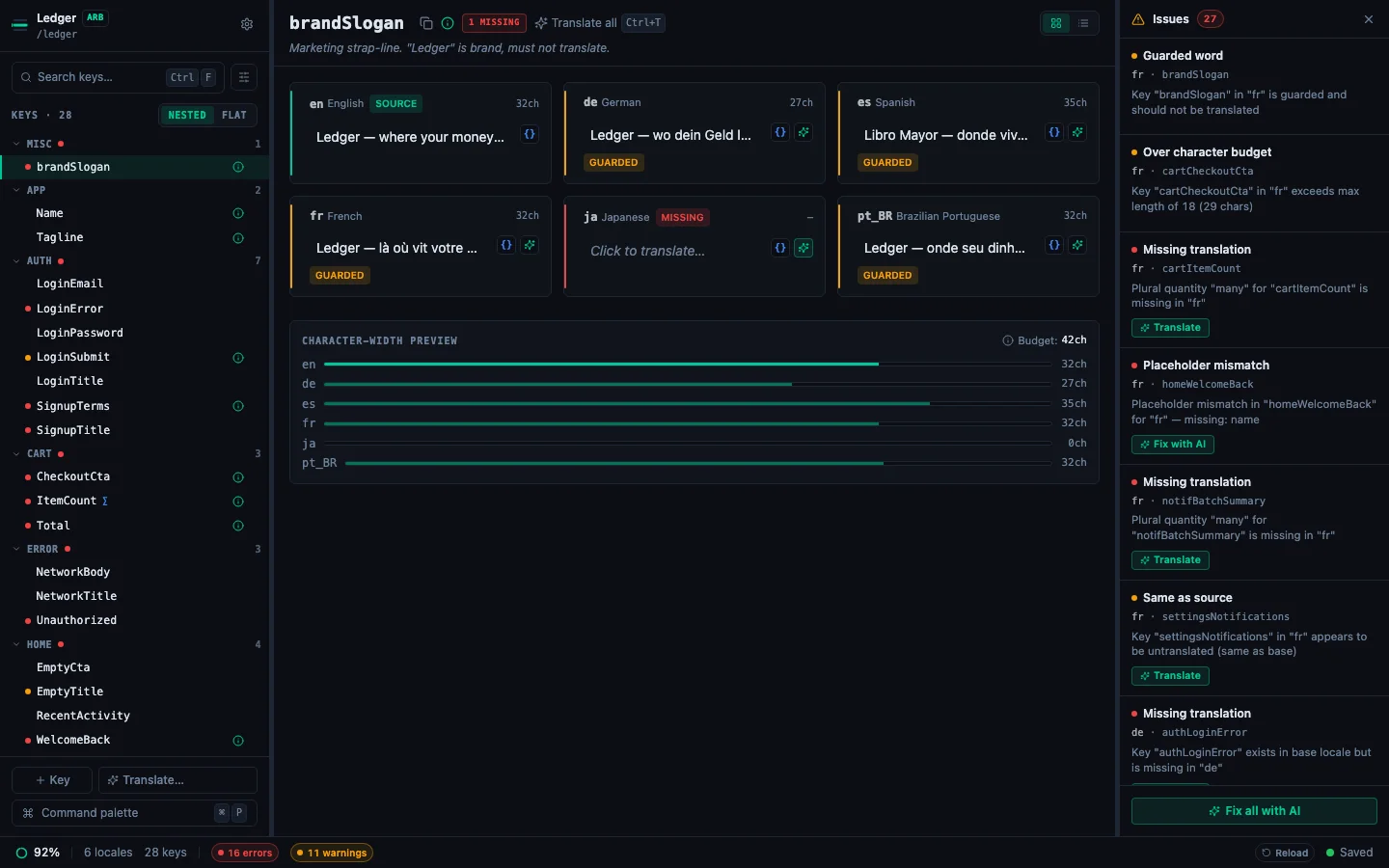
Any plural or select string that fails to parse, or is missing the other category, gets a Fix with AI button on its row in the Issues Panel. Clicking it asks the AI to repair the syntax while preserving your translation text. The footer Fix all with AI sweeps every affected row in one pass. See How to Fix Issues with AI.
CLDR-aware plural translate#
When you click ✨ on a plural key, StringLane auto-fills every quantity the target language requires from CLDR rules, translating into Ukrainian from an English source that has only one/other produces all four forms (one, few, many, other) in one pass. No need to manually add + few / + many first.
Flutter renders # literally#
This one costs people a release, so it gets its own section.
In standard ICU, # inside a plural branch is replaced by the number at runtime. Flutter's gen-l10n does not implement the pound token. Write this in an ARB file:
{count, plural, one {# item} other {# items}}…and your Flutter app displays a literal "# items" on screen. Not "3 items". The #.
Use the explicit variable instead:
{count, plural, one {{count} item} other {{count} items}}StringLane checks for this on ARB projects. Every standalone # in a plural branch raises a Literal # in plural warning in the Issues Panel — in every locale including your base one, because the bug is in the string, not the translation. Each row has a Fix with AI button that rewrites # to the plural variable, and it tries that deterministically before calling the model.
Deliberate literals are safe: rank #1 and #{count} are not flagged. Only a bare # standing where the number should be.
The ICU editor is format-aware too — open it on an ARB project and every template and example it offers uses {count} rather than #, so following the built-in guidance cannot produce the bug.
This applies to ARB only. iOS .strings / .stringsdict, Android XML and i18next all substitute # correctly and are not checked.
Common mistakes#
Missing other category. Every plural and select string must have an other clause: no exceptions. This is the most common ICU error. Fix:
{count, plural, one {# item} other {# items}}Wrong variable name. In ARB, the placeholder in the ICU string must match the ARB metadata. If your key has @description saying the variable is itemCount, use itemCount in the ICU string, not count or n.
Copying English plural to languages with more categories. Ukrainian, Arabic, Polish, and others need few and many in addition to one and other. StringLane reports each missing category as an error. Use the visual editor to add the missing categories.
What's next#
- How to Read Validation Badges: all badge types explained
- How to Fix Placeholder Mismatches: the Param badge
- Set Up AI Translation in 5 Minutes: let the model generate plural forms for each locale
See every locale side by side
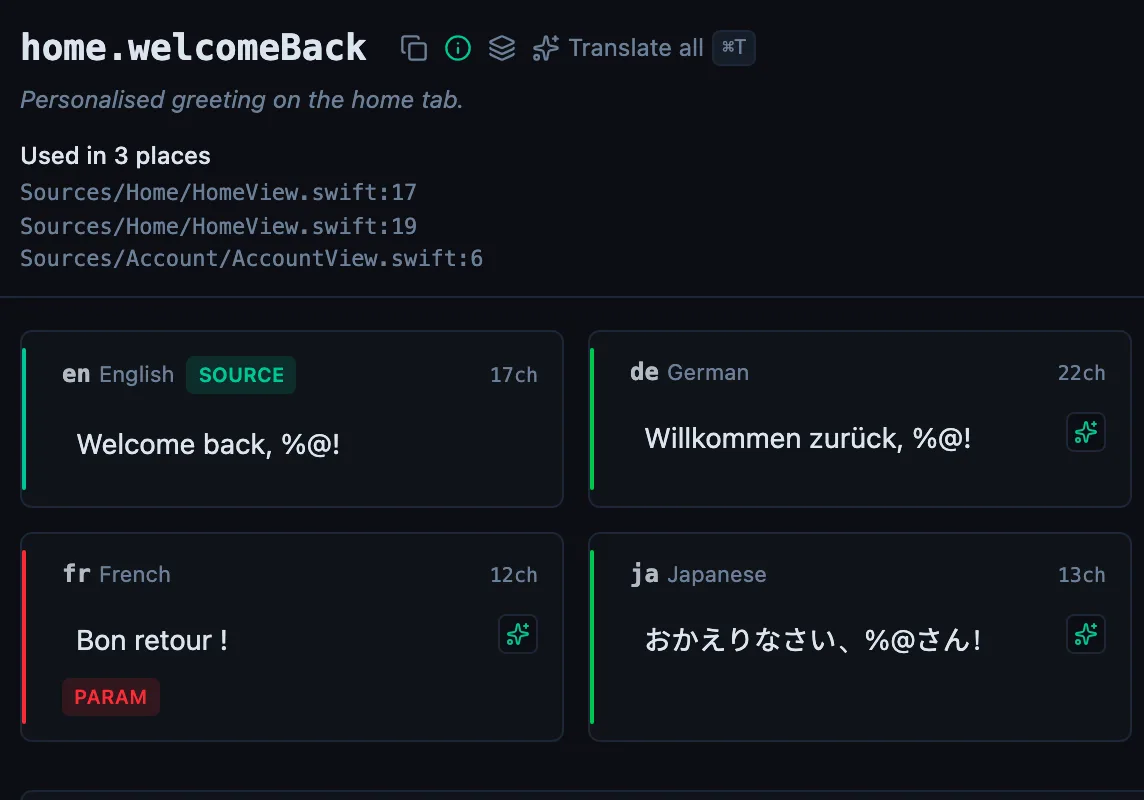
The desktop app flags what is missing or broken on the cell, and saves to your files.
14-day trial, no email