How to Turn Off Usage Analytics
What StringLane sends, what it never sends, and where the one toggle is that stops it. Your translation content never leaves your machine either way.
Last updated
StringLane collects usage data to decide what to build next. It is pseudonymous rather than anonymous: each event carries an identifier derived from your device by a one-way hash, and never your name, email address or translation content. It is a single toggle, it takes effect immediately, and none of your translation content is involved either way.
Turn it off#
- Open Settings (⌘,)
- In the sidebar, choose App → Privacy
- Switch off Share usage data
The change applies immediately. There is no restart, no confirmation dialog, and no "are you sure" step.
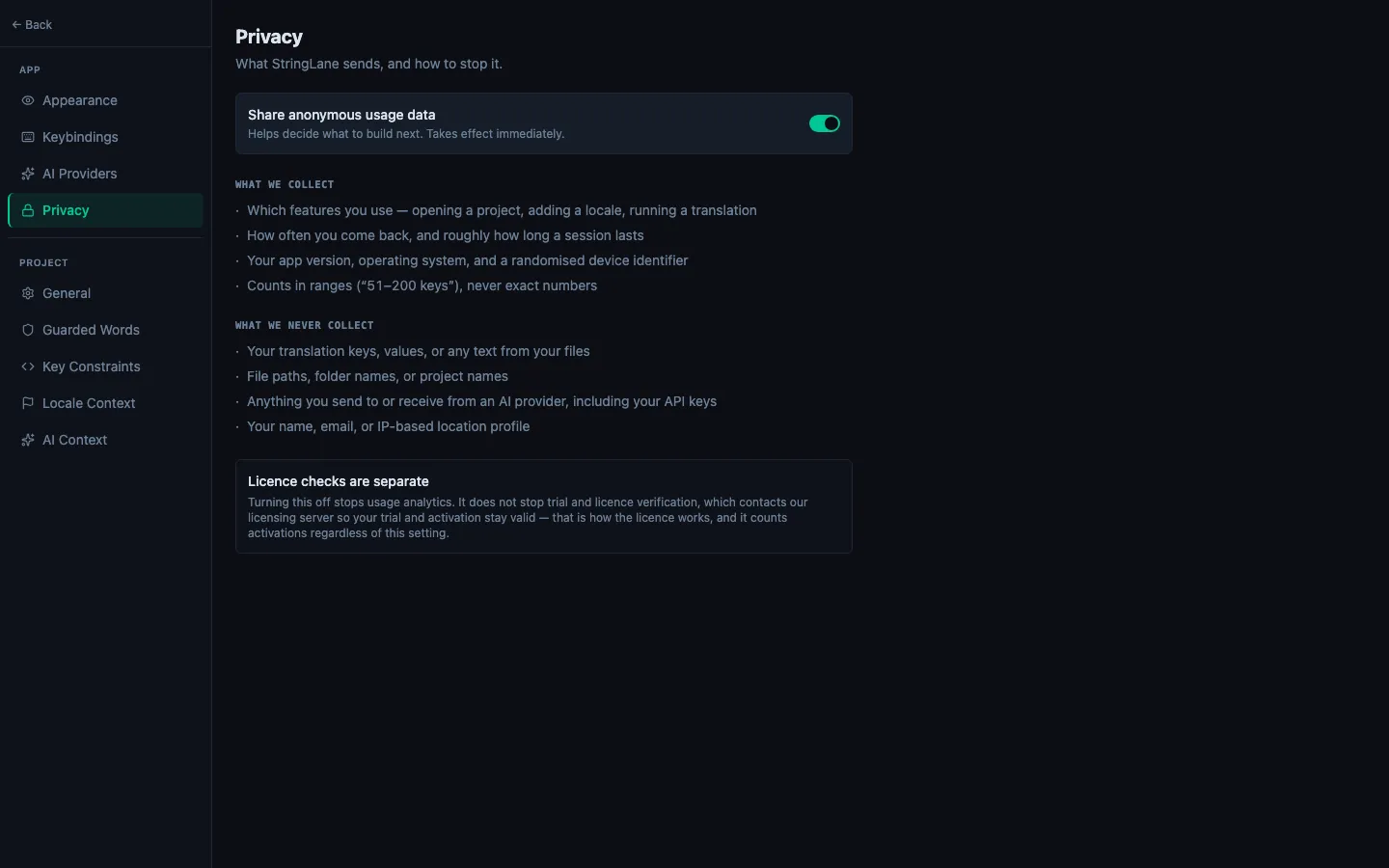
This is an App setting, not a project setting. It applies to every project you open on this machine.
What is collected#
- Which features you use: opening a project, adding a locale, running a translation
- How often you come back, and roughly how long a session lasts
- Your app version, operating system, and an identifier derived from this device by a one-way hash
- Counts in ranges ("51 to 200 keys"), never exact numbers
What is never collected#
- Your translation keys, values, or any text from your files
- File paths, folder names, or project names
- Anything you send to or receive from an AI provider, including your API keys
- Your name, email, or IP-based location profile
The same lists are shown in the app itself, next to the toggle. If the two ever disagree, the app is the one to trust, and please tell us.
Licence checks are separate#
Turning analytics off does not stop trial and licence verification. That check contacts our licensing server so your trial period and activation stay valid, and it counts activations regardless of this setting. It is how the licence works, not a second analytics channel. See How to Activate Your License Key.
What about AI translation?#
AI translation is a different data path with a different answer, and this toggle has no effect on it.
When you translate a key, the string and your prompt context go directly from your machine to whichever provider you configured: OpenAI, Anthropic, Google, or another. They never pass through a StringLane server. What that provider then does with the text is governed by their policy, not ours.
If you do not want your strings leaving the machine at all, run a local model instead: see How to Translate with a Local LLM. With a local runner, nothing about your content touches the network.
Related#
- Privacy Policy: the full published policy
- How to Translate with a Local LLM (Ollama, LM Studio, Jan): keep translation entirely offline
- How to Set Up AI Translation: where API keys are stored
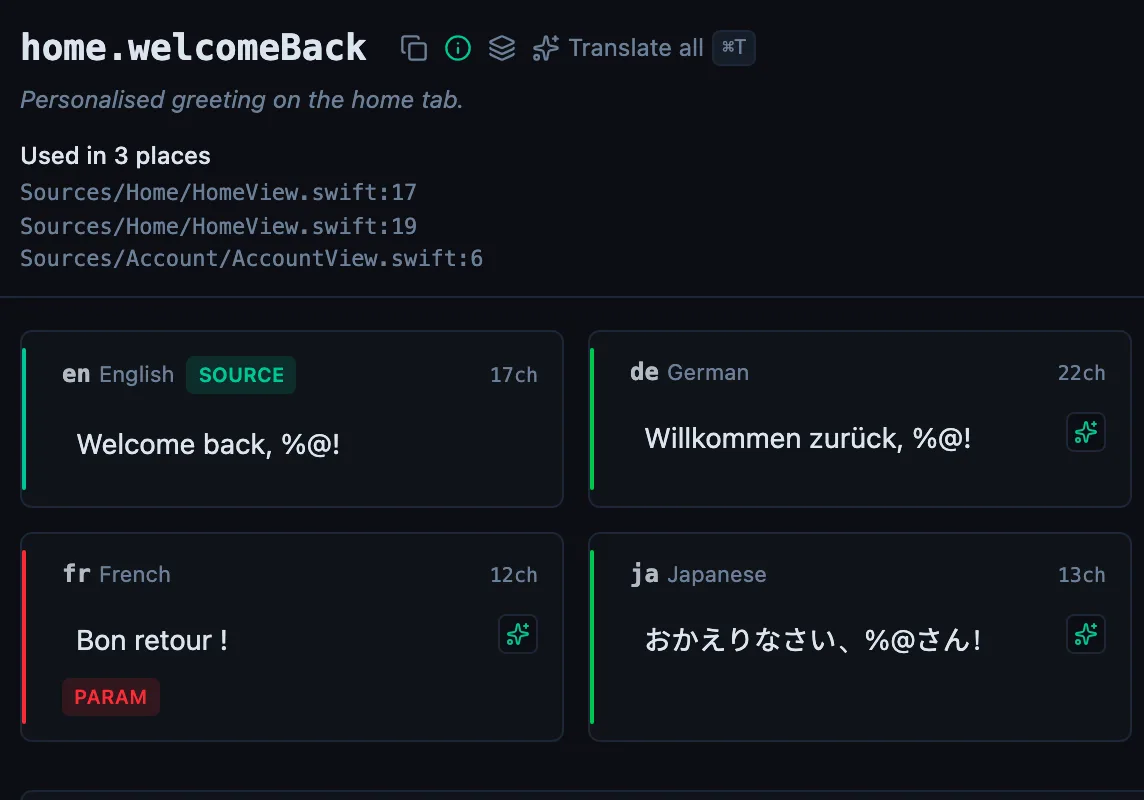
See every locale side by side
The desktop app flags what is missing or broken on the cell, and saves to your files.
14-day trial, no email