stringlane.yaml Reference
Every stringlane.yaml field the desktop app and the CLI read: format, path, layout, base locale, source stamps, guarded words, scan ignores and context.
Last updated
One file at the root of your project. The desktop app writes it, the CLI reads it, and both honour it identically. Commit it.
stringlane init creates it from what it detects, showing you the file before writing it.
format: arb
path: lib/l10n
That is a complete config. Everything below is optional.
Locating the files#
format#
Which localization format this project uses. Required in practice, since it determines every parsing rule.
An unrecognised value is ignored rather than guessed at.
path#
Where the locale files live, relative to the project root. Omit it and StringLane detects a standard layout.
path: lib/l10nA path that names a standard i18next folder, such as public/locales or src/i18n/locales, loads that folder alone, and its keys carry no folder prefix. With no path, every standard folder in the project loads together. If a first run recorded path for you and you later add a second locales folder, remove path to load both.
Paths are Unicode-normalised when read and written, so a directory name with a combining accent behaves the same whether it was typed by hand or produced by macOS.
layout#
For JSON projects only: how the locale files are split.
layout: namespacedOmit it and the layout is detected. A path without layout loads exactly what the same file with layout: namespaced loads; layout: flat is still respected. The first open of a namespaced project writes format, path and layout here, so later opens do not have to detect it again.
name#
A display name for the project. Cosmetic.
Which locale is which#
All three fields are optional. Leave them out and StringLane guesses from your file names.
baseLocale#
The source language: the locale every other locale is translated from and checked against. Without it, StringLane uses English if the project has it, otherwise the first locale alphabetically.
baseLocale: deWrite the code exactly as your files spell it, so zh-rCN, en_GB and en-us are all valid. The desktop app writes this field from Settings → General, and the CLI and the MCP server read the same value, so the app and CI agree on which column is the source.
A code the project does not have is not ignored in silence. StringLane falls back to its guess and reports base_locale_not_loaded, naming the code it ignored and the one it used. stringlane inspect shows where the answer came from: base de when the file names it, base en (detected) when it was guessed, and check --json carries the same as baseLocaleSource.
defaultFileLocale#
For Android only: the language of the unnamed res/values/ folder, which carries no locale code. Without it, StringLane assumes English.
defaultFileLocale: deIt labels only that folder. A values-fr/ folder, or a tools:locale attribute on a file's <resources> tag, still names its own language.
defaultNamespace#
For namespaced i18next projects only. Read by the CLI and the MCP server from CLI 0.4.0, and by the desktop app from 1.4.0. Keys in these projects carry their namespace, such as common:hello. An unqualified call like t('hello') is matched in the default namespace, which is translation, i18next's own default, unless you set this. next-i18next projects use common.
format: i18next-json
path: locales
layout: namespaced
defaultNamespace: common
A namespaced project still loads when the file holds defaultNamespace without path. A qualified call such as t('auth:login') is matched as written and ignores this field. A value containing : or / is ignored, because a namespace is a file name and : is i18next's own separator.
Changing a project setting in the desktop app updates only the fields you changed, so defaultNamespace and any field the app does not model stay as they were. Comments in stringlane.yaml are not kept when the app saves it.
Rules the validator applies#
sourceStamps#
true turns on source stamps: StringLane records the base text each translation was confirmed against, in .stringlane/source-stamps.json, and reports a translation whose base text has changed since as translation_stale, and one nobody confirmed as translation_unconfirmed. Both are warnings. Any value other than true or false is ignored.
sourceStamps: trueCommit .stringlane/source-stamps.json together with this flag. With the flag on and that file missing or unreadable, stringlane check exits 2 and says to restore the file from version control or run stringlane accept --all. stringlane init turns stamps on for a new project that loads cleanly, after one question naming both files. The desktop app turns them on from Settings → General, with Track stale translations under Source stamps. stringlane accept and the app's Accept translation confirm a translation that still fits. See the validation codes.
guardedWords#
Terms that must appear verbatim in every translation. Your product name, a trademark, a UI label that matches a hardware button.
guardedWords:
  - StringLane
  - Xcode
A translation that changes one raises guarded_word_violation. This is a term-level constraint, not a whole-string freeze: the rest of the sentence is expected to be translated normally.
ignoreKeyPatterns and ignoreFilePatterns#
Keys and source files the unused-key scan leaves out: a family of keys your code always builds at runtime, or generated files.
ignoreKeyPatterns:
  - 'errors.*'
ignoreFilePatterns:
  - '**/*.g.dart'
Silenced keys are still counted in the summary, by cause, so a report cannot read as clean because everything was silenced. See find unused and undefined keys.
Context that shapes translations#
These fields do not gate anything. They travel into every translation request, from the app, from stringlane update and from prepare_translation_plan alike, which is why they belong in a committed file rather than in one person's settings.
productContext#
What the product actually is, so an ambiguous word is resolved the right way.
productContext: >
  A desktop editor for app localization files. "Key" means a translation
identifier, never a cryptographic key or a keyboard key.brandingGuidelines#
How it should sound.
brandingGuidelines: >
Plain and direct. Address the user as "you". No exclamation marks.localeContext#
Notes for one language, where a general instruction would be wrong.
localeContext:
  de: 'Use the informal du throughout.'
  ja: 'Prefer です/ます. Keep technical terms in katakana.'
What is deliberately not here#
AI provider, model and base URL. They used to be, and moved out. This file is committed project intent, and two people on one repository legitimately use different providers: one has an Anthropic key, one runs Ollama locally. Committing one person's choice makes the other's run wrong. They come from flags, or from STRINGLANE_AI_PROVIDER and STRINGLANE_AI_MODEL.
API keys. Never. There is no field for one, and nothing reads a key from this file.
Per-key length limits. They used to be here, as keyConstraints, and moved onto each key: x-max-length in the @key block of an ARB file, and .stringlane/metadata.yaml for every other format. No check uses keyConstraints any more, in the app or the CLI. The desktop app moves an old block onto the keys the first time it opens the project and removes it from this file. A limit that exists only in keyConstraints, in a project the app has not opened, is checked by nothing.
The other files in .stringlane/#
stringlane.yaml sits at the project root. Its sibling files live in a .stringlane/ directory beside it, and all of them are yours to commit:
A blanket
.*rule in.gitignoreswallows.stringlane/silently. The files are then written locally, never committed, and every description is missing on a teammate's machine. See where key metadata is stored.
StringLane's own working state (the apply lock, and a record of what each project looked like last time) is deliberately not in your repository. It lives in a per-user directory outside it, so nothing shows up in git status.
Frequently asked questions
- Should stringlane.yaml be committed to git?
- Yes. It is project intent: where the locale files live, which terms must never be translated, and what the product is. Committing it is what makes the app, the CLI and every teammate read the project the same way.
- Why is there no AI provider setting in stringlane.yaml?
- Because it is committed and shared. Two people on one repository legitimately use different providers, so committing one person choice makes the other run wrong. Provider and model come from flags or environment variables instead.
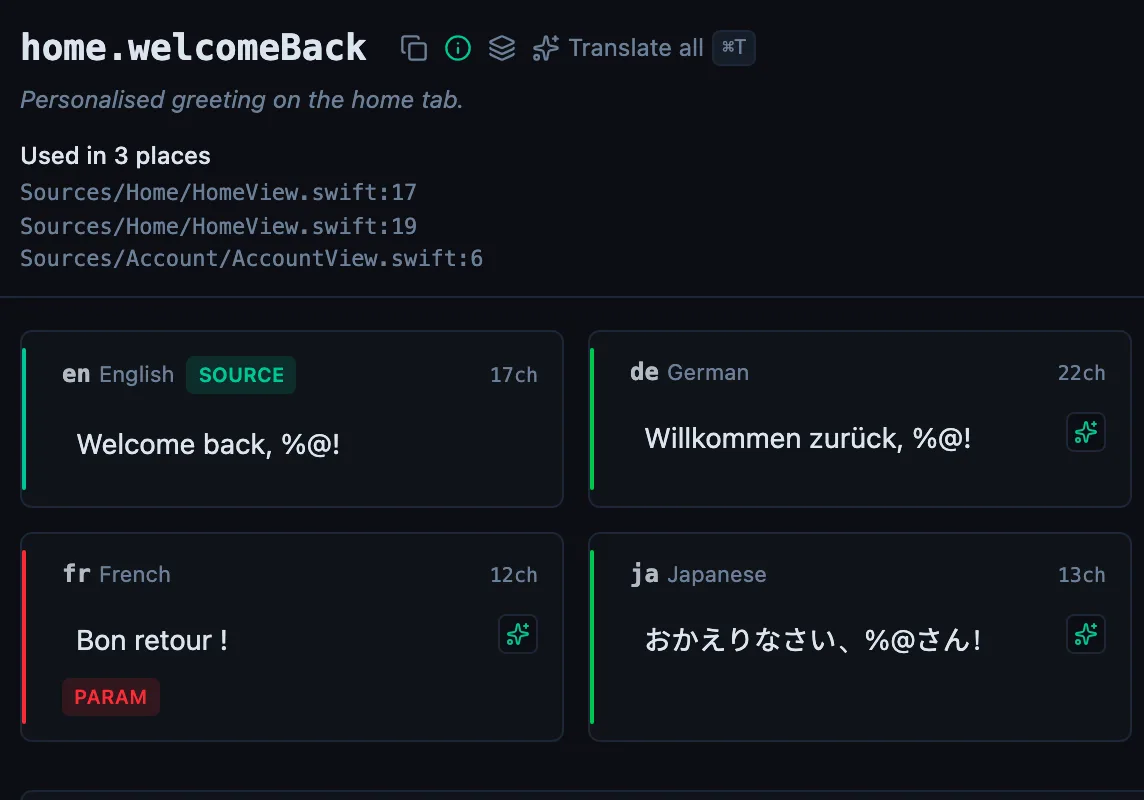
See every locale side by side
The desktop app flags what is missing or broken on the cell, and saves to your files.
14-day trial, no email