How to Configure Locale Context for Better AI Output
Add per-locale cultural notes so AI translations feel natural for each region, not just grammatically correct.
Last updated
Locale context is a short note about a specific locale that the AI receives on every translation for that locale. It supplements the general product context with region-specific preferences: formality, idioms, regional vocabulary.
Where to add it#
- Open Settings (⌘,)
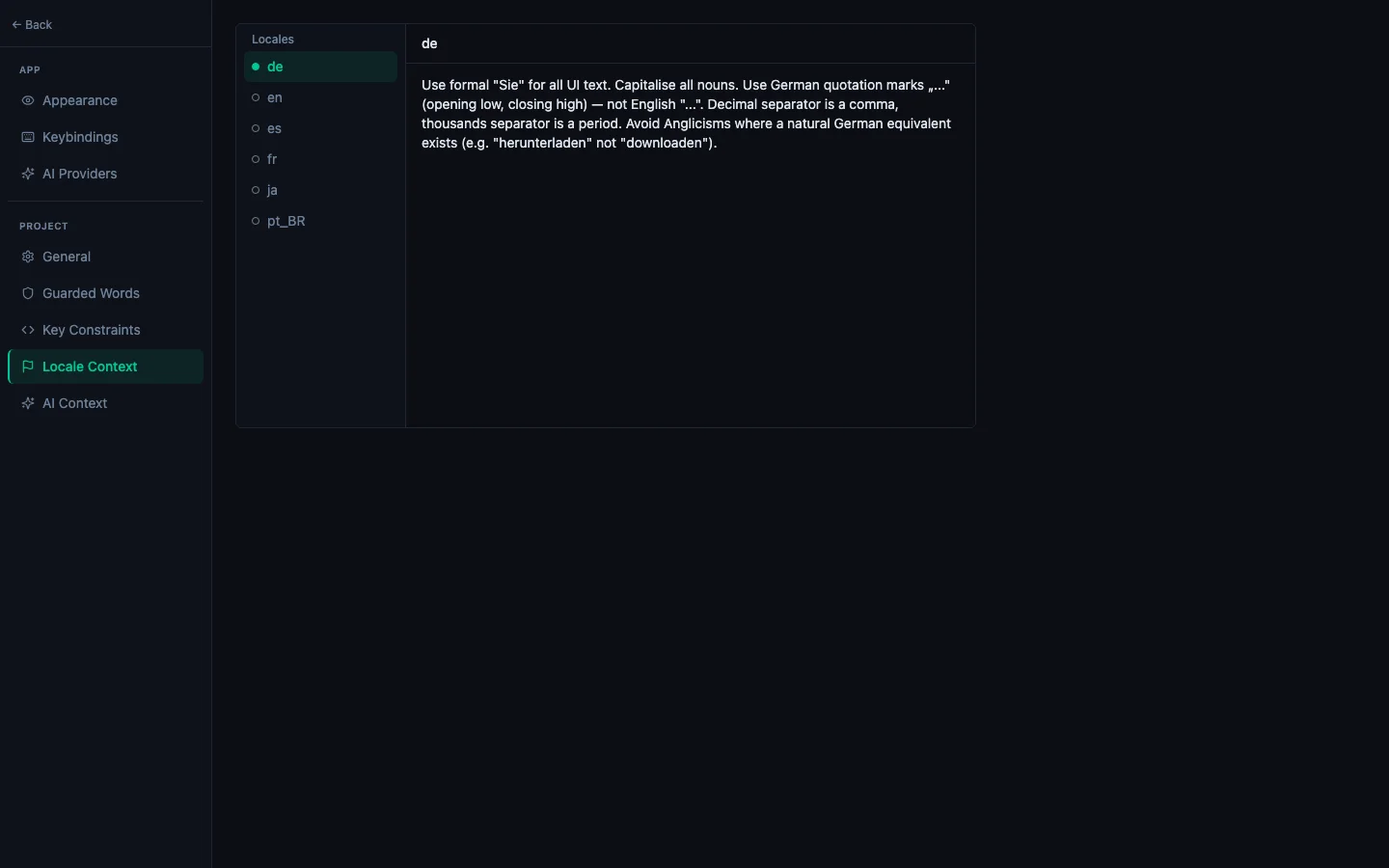
- In the sidebar, choose Project → Locale Context
- Pick the locale from the list on the left — it shows the locales already in your project
- Enter the cultural note in the text area and save
What to write#
Write 1-3 sentences of cultural guidance. Focus on things that distinguish this locale from the generic translation:
Good locale context examples:
pt-BR: "Use informal 'você' form consistently. Prefer Brazilian Portuguese idioms over European Portuguese. Avoid translating brand names or technical terms."ja: "Use polite ます/です form throughout. Avoid katakana loanwords where a natural Japanese term exists. Keep UI text short: Japanese characters are wider."de: "Use formal Sie form for user-facing UI. Compound nouns are acceptable but avoid ambiguous ones. UI text should be concise."ar: "Write right-to-left. Use modern standard Arabic, not dialect. Ensure plural forms cover all six Arabic plural categories."es-ES: "Use vosotros for second person plural (not ustedes). Prefer European Spanish terms over Latin American variants."
When a built-in preset is already covering it#
Fifty locales ship with a built-in preset, and StringLane uses it automatically whenever you have not written your own context for that locale. If one is in effect you will see a panel below the text area saying "AI is using the built-in preset for de", with the text beneath it.
Click Customize to copy that text into the text area and edit from there — usually a better starting point than a blank box, since the preset already has punctuation and register right. Clearing the text area completely hands control back to the preset.
See How to Use Locale Presets for which locales have one and what they cover.
Effect on translations#
Locale context is appended to the system prompt after the product context. It tells the model how to adapt the translation for that specific audience. The context is included every time a key is translated for that locale: for single-key ✨ translation and for bulk runs.
Without locale context: ¡Hola, mundo! (generic Spanish)
With pt-BR locale context: Olá, mundo! (Brazilian Portuguese)
The difference matters most for:
- Formality level (tu vs. vous in French, du vs. Sie in German)
- Regional vocabulary (different words for "cell phone" in Spain vs Mexico vs Brazil)
- Character constraints (Japanese and Chinese are more space-efficient: shorter strings needed)
See every locale side by side
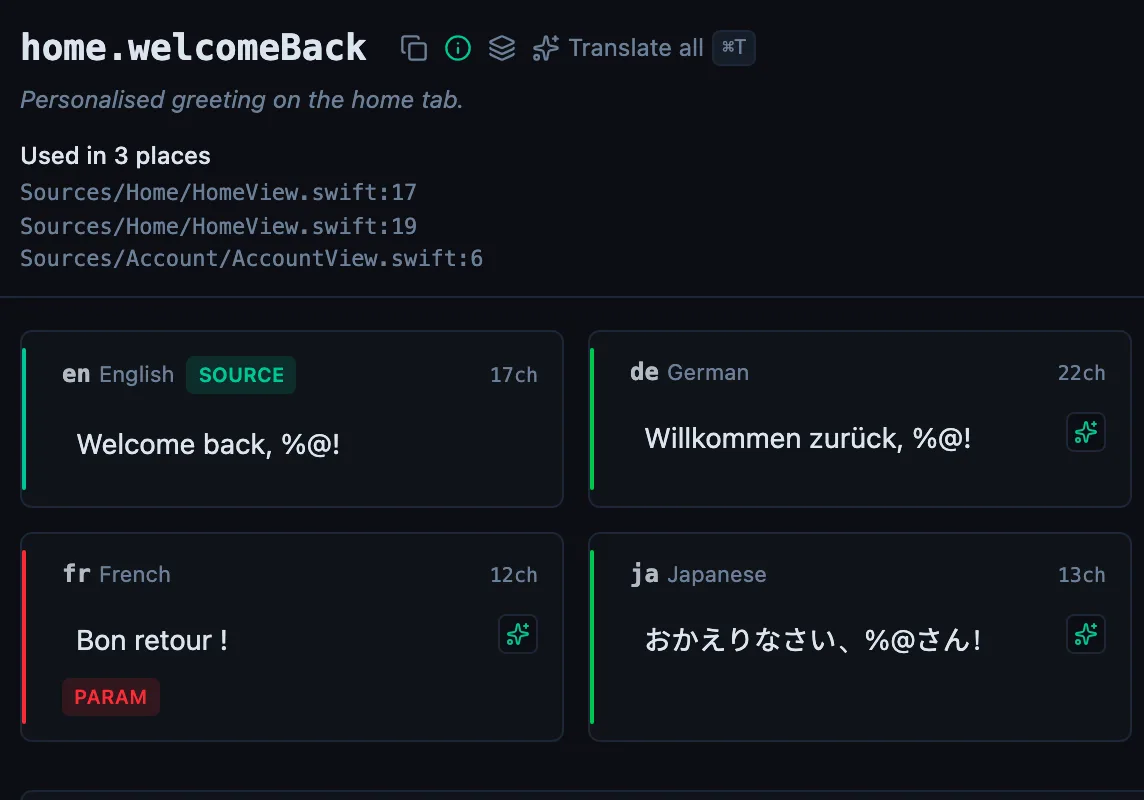
The desktop app flags what is missing or broken on the cell, and saves to your files.
14-day trial, no email