Android strings.xml: Plurals, Escaping and Format Args
Android strings.xml holds an app's strings, one values folder per language. A complete example with plurals, format arguments and escaping, and what breaks.
Last updated
strings.xml is the resource file that holds an Android app's user-facing text. The default language lives in res/values/strings.xml, and each translation lives in a folder named for its language, such as res/values-uk/strings.xml. At run time Android picks the folder that matches the device language and falls back to res/values/ for anything missing.
What does an Android strings.xml file look like?#
This res/values/strings.xml covers what you will write in practice: a plain string, a string with format arguments, a plural, an escaped apostrophe, a string array and a string that is never translated.
<?xml version="1.0" encoding="utf-8"?>
<resources>
    <string name="app_name" translatable="false">Notes</string>

    <!-- Greeting on the home screen. -->
    <string name="welcome">Hello, %1$s! You have %2$d new notes.</string>

    <plurals name="file_count">
        <item quantity="one">%d file</item>
        <item quantity="other">%d files</item>
    </plurals>

    <string name="cant_sync">Can\'t sync right now</string>

    <string-array name="sort_options">
        <item>Newest first</item>
        <item>Oldest first</item>
    </string-array>
</resources>
<string name="...">is one key. Thenamebecomes the resource ID,R.string.welcome.<plurals>holds one<item>per plural quantity.<string-array>is an ordered list, read withgetStringArray.translatable="false"marks a string that stays the same in every language, such as the app name.- A comment directly above a key is the usual place for a note to translators.
How do translations work in strings.xml?#
Each language gets its own values- folder with a file of the same keys:
res/
  values/strings.xml          default language
  values-uk/strings.xml       Ukrainian
  values-pt-rBR/strings.xml   Portuguese (Brazil)
  values-b+sr+Latn/strings.xml  Serbian in Latin script
A translation only needs the keys it translates. Anything it leaves out, Android takes from res/values/, which keeps the app running and shows that string in the default language.
How do plurals work in strings.xml?#
A <plurals> element has one <item> per CLDR quantity: zero, one, two, few, many and other. Each language needs its own set. English needs one and other; Ukrainian needs one, few, many and other:
<!-- res/values-uk/strings.xml -->
<plurals name="file_count">
    <item quantity="one">%d файл</item>
    <item quantity="few">%d файли</item>
    <item quantity="many">%d файлів</item>
    <item quantity="other">%d файлу</item>
</plurals>
Read it with the count twice:
resources.getQuantityString(R.plurals.file_count, count, count)The first count picks the item. The second fills %d.
Two rules catch people out:
- Android picks by grammatical category, not by number. In English, 0 is
other, so an Englishzeroitem is never used. Use a separate string for "No files". - A missing item falls back to
other. A Ukrainian block with only English'soneandotherstill builds, and shows "3 файлу" where Ukrainian says "3 файли".
How do format arguments work in strings.xml?#
Values use Java format specifiers. Number them, %1$s and %2$d, so a translator can reorder them for their language:
<string name="welcome">Hello, %1$s! You have %2$d new notes.</string>getString(R.string.welcome, name, count)The arguments are matched by position, so the translation has to keep the same numbered specifiers:
- A translation that drops
%2$dstill formats, and the reader never sees the count. - A translation that adds a specifier the code does not pass, such as a
%3$s, throws aMissingFormatArgumentExceptionwhen that screen formats the string.
How do you escape characters in strings.xml?#
What breaks strings.xml without failing the build?#
- A missing translation shows the default-language string.
- A plural with English's quantities in a language that needs more falls back to
other. - A dropped format argument hides the value; an extra one crashes the screen that formats it.
- A copied, untranslated value looks fine in the file and ships in the default language.
Most of these are in a language you may not read.
How do you check strings.xml across every language?#
StringLane reads every res/values*/strings.xml in the project and checks each language against the default: missing strings, plural quantities that language requires, numbered format arguments compared per string and per plural item, by count and by the type each argument is read as, and values identical to the default. A regional folder such as values-fr-rCA/ or values-b+es+419/ owes only the strings it defines, because Android shows the parent language's folder for the rest; the parent must be the same language in the same script, so values-zh-rTW/ still owes every string. A folder named with b+, such as values-b+sr+Latn/, owes every plural quantity its language needs. The free CLI runs the same checks from a terminal or CI and writes nothing into your repository:
npx @stringlane/cli@latest check .The Android strings.xml editor shows the same checks while you edit, with every values folder side by side.
Next steps#
- Fix placeholder mismatches: find and restore a dropped
%1$s. - Add a language: create a new
values-folder from a preset. - Flutter ARB File Format: the same problems in a Flutter project.
- Inspect and Check a Project: run the checks in CI.
Frequently asked questions
- Where does strings.xml go in an Android project?
- The default language goes in res/values/strings.xml. Each translation goes in a folder named for its language, such as res/values-uk/strings.xml or res/values-pt-rBR/strings.xml. The file name itself is arbitrary; Android reads every XML file in the folder.
- Why is my zero plural ignored in English?
- Android picks the plural item by grammatical category, not by the number. English has only one and other, so 0 uses other and a zero item is never selected. Use a separate string for the empty state.
- Why does getQuantityString take the count twice?
- The first count picks the plural item. The arguments after it fill the format specifiers in that item, so for "%d songs" you pass count again as the value for %d.
- How do I escape an apostrophe in strings.xml?
- Write \' or wrap the whole value in double quotes. Double quotes inside a value are written \", a leading @ or ? is written \@ or \?, and & and < use the XML entities & and <.
- What happens when a translation is missing in strings.xml?
- Android uses the string from the default res/values folder, so the screen shows the default language. A plural item missing from a translation falls back to that translation's other item.
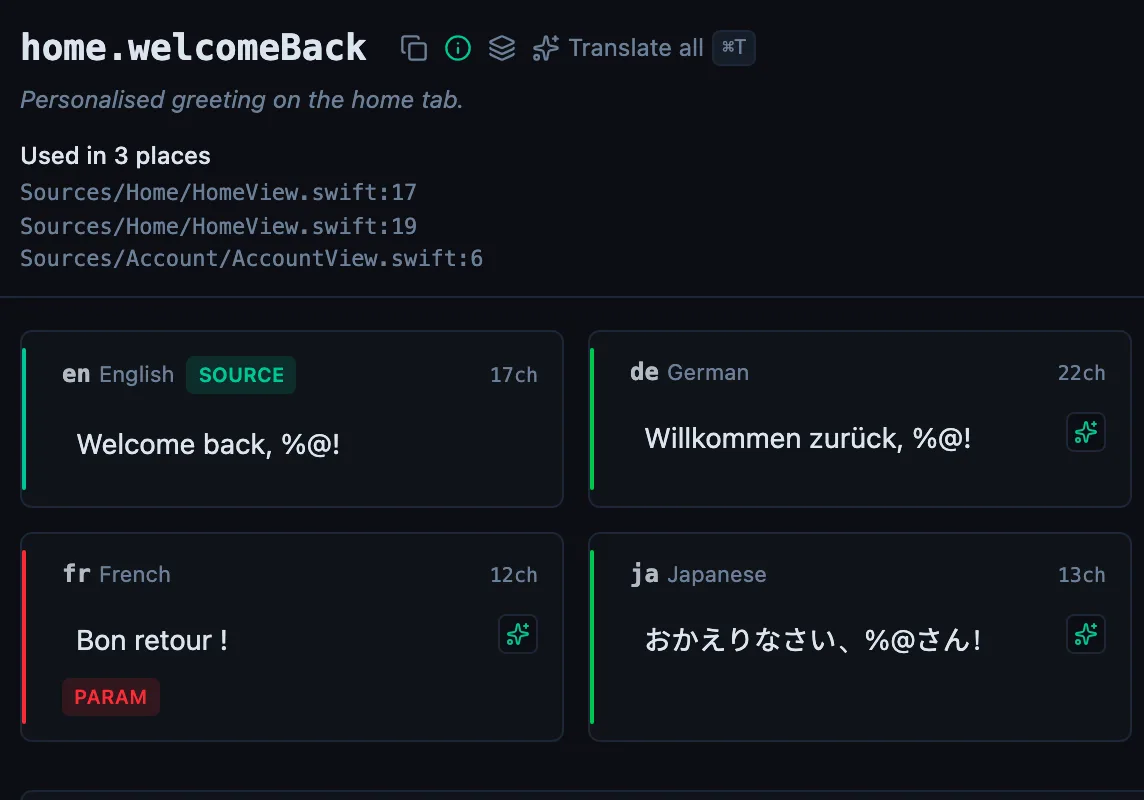
See every locale side by side
The desktop app flags what is missing or broken on the cell, and saves to your files.
14-day trial, no email