What Is the .xcstrings Format? Xcode String Catalogs
String Catalogs (.xcstrings) are Apple's localization format: one JSON file holding every locale plus a per-string translation state. How to edit it.
Last updated
.xcstrings is the file extension for String Catalogs, the localization format Apple introduced at WWDC 2023 to replace the older .strings and .stringsdict files. A String Catalog is a single JSON file that holds every locale for a target, plus a translation state for each string, so Xcode can show you, per language, what is new, what needs review, and what is done.
What it replaces#
The classic Apple approach split localization across formats:
Localizable.strings: one file per locale, simple"key" = "value";pairs.Localizable.stringsdict: a separate XML plist for plurals only.
String Catalogs fold all of that into one .xcstrings file per string table, with plural and device variations expressed inline. Xcode extracts strings into it automatically at build time.
What a String Catalog contains#
The file is JSON keyed by source string. Each entry stores its localizations and, critically, a state for every language:
new: extracted but not yet translated.needs_review: translation exists but is flagged for a second look.translated: done.
It also tracks strings marked shouldTranslate: false, system-managed text that should be left alone, and a extractionState that records whether a string is still present in code.
Why the state model matters#
The per-string state is the feature, and it is also the thing hand-editing the JSON gets wrong. Edit a value in a text editor and the surrounding state does not update, so Xcode's "what still needs translating" view drifts out of sync with reality. Multiply that across a few hundred strings and several locales and the catalog becomes untrustworthy.
How StringLane works with .xcstrings#
StringLane reads and writes .xcstrings natively. It auto-detects the format by extension, loads every locale from the single file, and shows them side-by-side like any other project. A string Xcode has extracted but nobody has translated carries a grey New badge, and one Xcode marks for review carries a Needs Review badge. When you edit and save, StringLane updates the state of the values you changed (a non-empty value becomes translated, an empty one reverts to new), and every value you left alone keeps the state the file gave it. shouldTranslate: false strings are locked against editing. Adding a locale merges into the existing file rather than creating a new one, so the catalog stays canonical.
A key with no English entry, because the key itself is the English text, takes its own name as its English text, as Xcode does: it is counted in every language, and saving writes no English entry for it. A string in Xcode's own stale extraction state, meaning your code no longer uses it, owes no translation in any language. That is different from StringLane's Stale badge, which marks a translation whose source text changed.
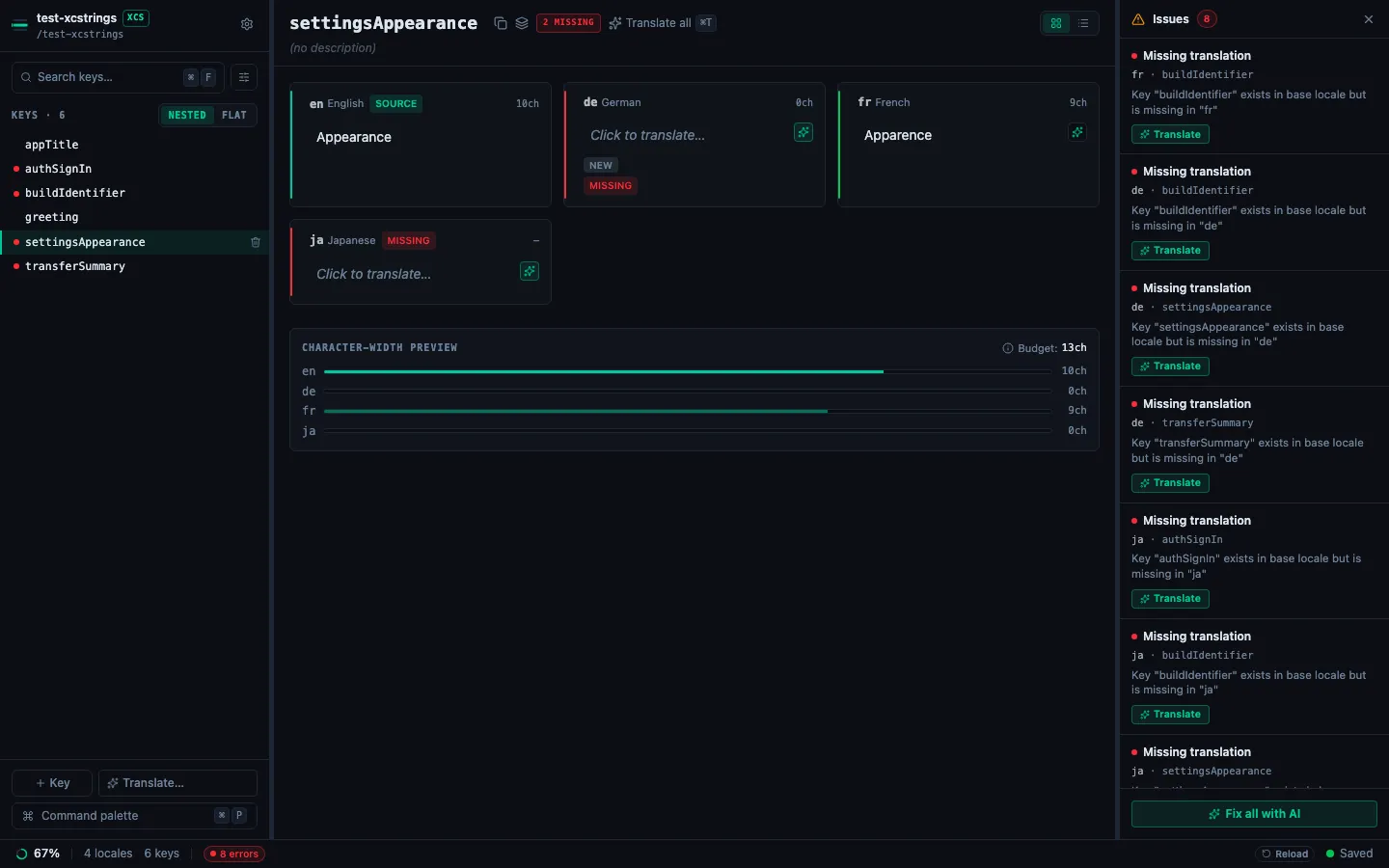
needs_review is the state that carries the most information, and StringLane does not set it on its own: Xcode does. With source stamps on (sourceStamps: true in stringlane.yaml), two things change. A translation Xcode marks for review is reported by stringlane check as stale until you confirm it, even when nothing else changed, and confirming it with Accept translation in the app or stringlane accept, or writing new text to it, sets it to translated in the catalog. Saving a changed base text in the app also marks that key's unchanged translations needs_review. See sourceStamps.
Next steps#
- xcstrings editor: what StringLane validates in a String Catalog, and how translation state is kept in sync.
- How to Use the Format Editor: format-specific editing for iOS, Android, and i18next projects.
- How to Open a Localization Project: auto-detection and what StringLane loads.
- How to Add a New Locale: add a language column from a preset.
Frequently asked questions
- What replaced .strings and .stringsdict?
- String Catalogs (.xcstrings), introduced with Xcode 15. One catalog replaces the whole set of per-language .strings files plus the separate .stringsdict for plurals, holding every locale and every plural form in a single JSON file.
- Do I have to migrate from .strings to .xcstrings?
- No. Xcode still builds .strings and .stringsdict, and plenty of shipping apps stay on them. Migration is worth it mainly for the per-string translation state, which is the part that tells you what has actually been translated.
- What do the new, needs_review and translated states mean?
- They are Xcode's record of how current each translation is. new means the string was extracted but never translated; needs_review means the source string changed after translation, so the existing translation may no longer be correct; translated means it is current. needs_review is the one that catches drift.
- Can I edit an .xcstrings file outside Xcode?
- Yes, it is JSON. In practice the nesting is deep enough that hand-editing is error-prone, and it is easy to leave the translation state saying something the content no longer supports. StringLane edits the catalog directly and keeps the state in step as you type.
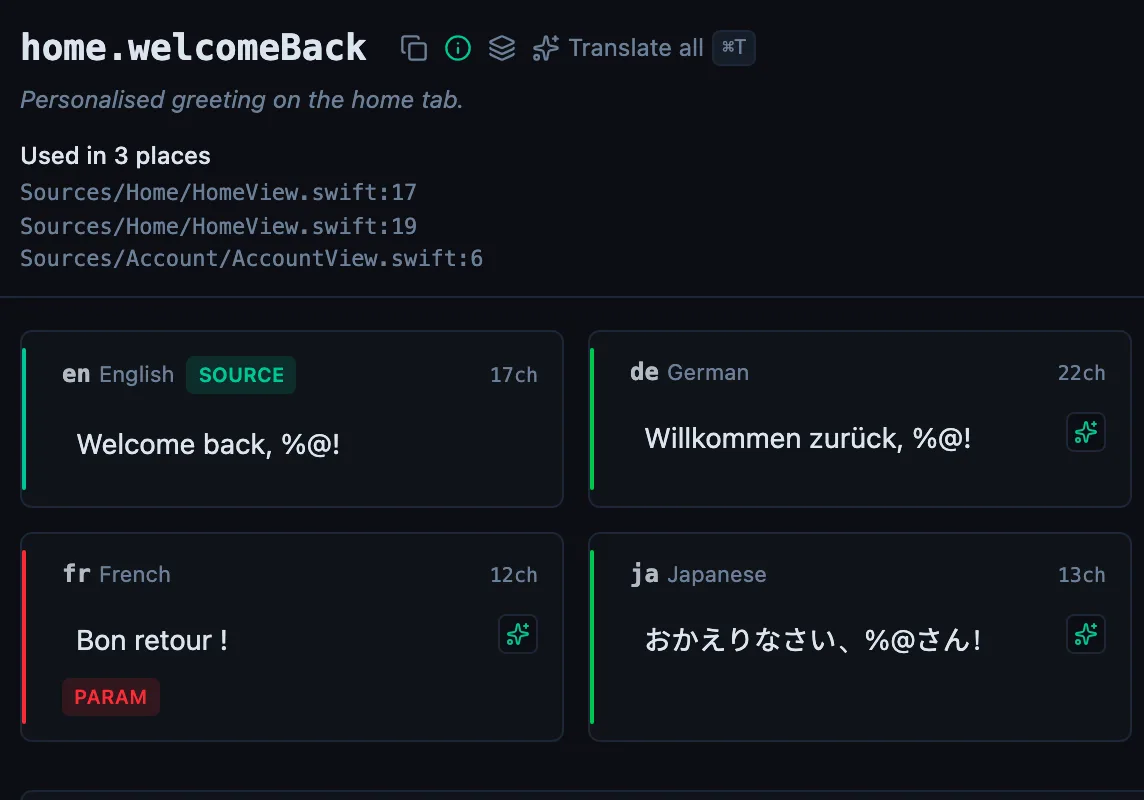
See every locale side by side
The desktop app flags what is missing or broken on the cell, and saves to your files.
14-day trial, no email