How to Fix Placeholder Mismatches
Understand and resolve the Param validation badge: when a placeholder like {name} or %@ is missing or wrong in a translation.
Last updated
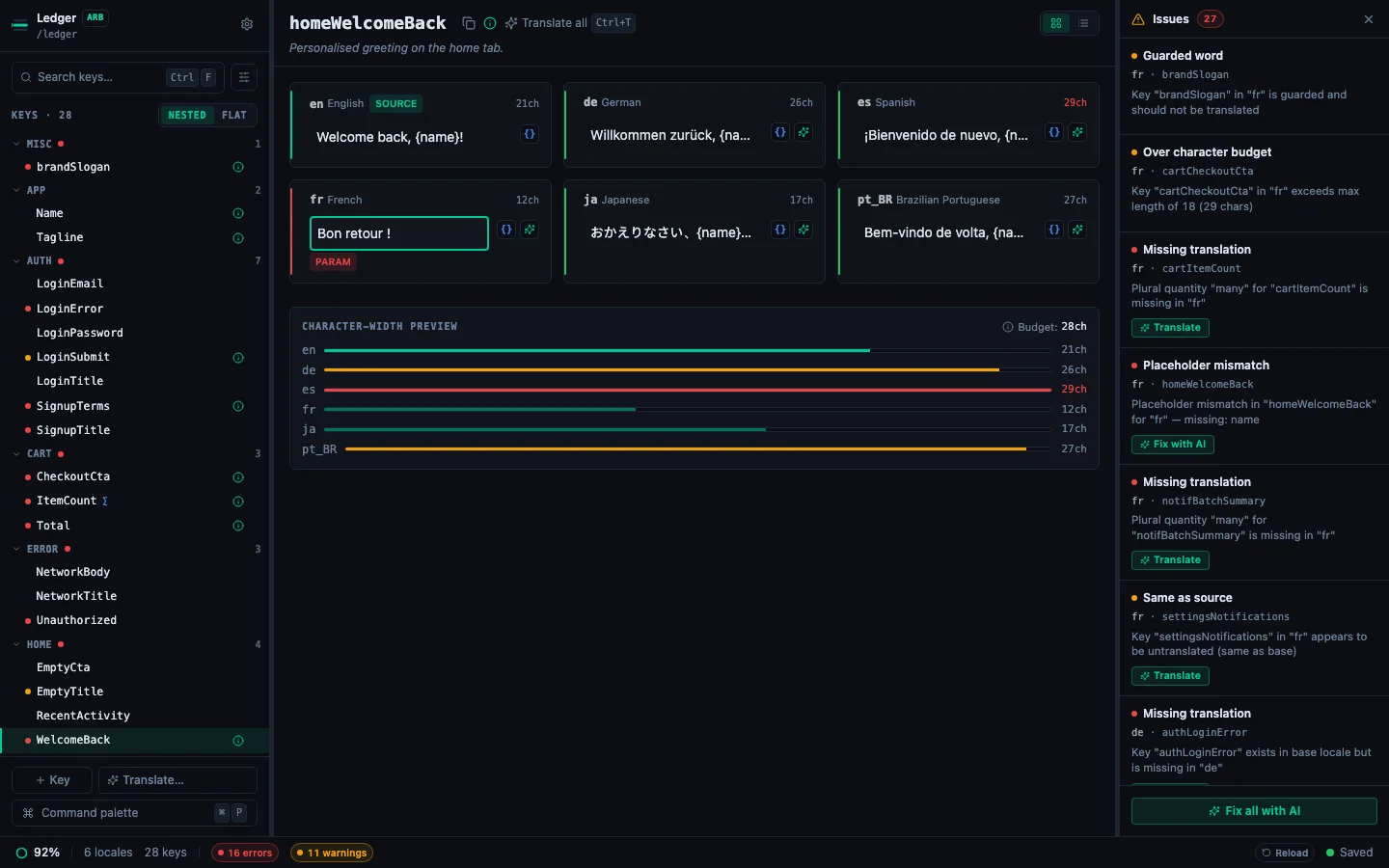
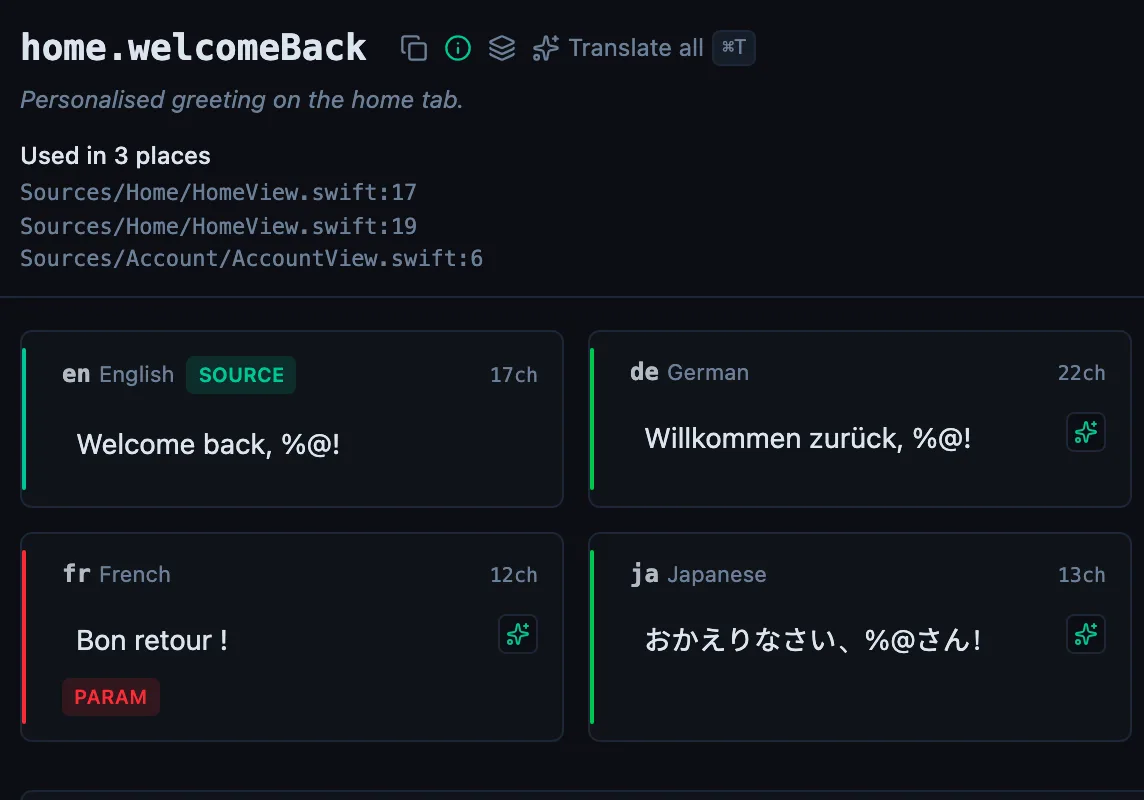
A Param badge (red) appears when a placeholder in the base locale doesn't match what's in the target translation. This is a hard error: at runtime, a missing placeholder means the variable value is silently dropped from the displayed string.
What counts as a placeholder#
StringLane treats these as placeholders, depending on your file format:
Finding out which placeholder is wrong#
Two places tell you:
- Hover the red Param badge. The tooltip names the placeholder that is missing from the target, or the extra one that appears in the target but not the base.
- Read the Issues Panel (⌘J). Each mismatch is its own row, naming the key, the locale and the specific placeholder, with no hovering, and you can work down the list.
The one-click fix#
When StringLane can reconstruct the correct string on its own, a 🔧 wrench button appears next to the Param badge. Click it and the placeholder is restored in place.
This is a deterministic repair, not an AI call: it is instant, free, and produces the same result every time. Reach for it first: the manual and AI routes below are for the cases where the wrench does not appear.
Fixing the mismatch manually#
- Click the cell to edit it.
- Add the missing placeholder in the correct position within the translated string.
- For ARB, placeholders are case-sensitive and must match exactly:
{userName}≠{username}. - Press Enter to confirm. The Param badge clears immediately if the fix is correct.
Example:
- Base (English):
Hello, {name}! You have {count} messages. - Broken Spanish:
¡Hola! Tienes mensajes. - Fixed Spanish:
¡Hola, {name}! Tienes {count} mensajes.
Fixing with AI re-translation#
Click ✨ on the Param cell to re-translate it. The AI is given a hard instruction to preserve all placeholders in the correct format. In most cases, this produces a clean result without the mismatch.
If re-translation still produces a mismatch (rare, usually on complex ICU strings), edit the cell manually.
Param autofix#
For simple cases where the only issue is a missing placeholder at the end of a string, StringLane may offer an Autofix option directly on the badge. Click the badge → click Autofix → the placeholder is appended to the translation automatically.
Autofix is a heuristic: review the result to ensure the placeholder is in the grammatically correct position for the target language.
Preventing param mismatches#
- Use AI translation with product context: the AI is explicitly instructed to preserve placeholders.
- Add
@descriptionto ARB keys with variables: the description is passed to the AI, giving more context for correct placeholder placement. - Review translated strings with variables after bulk translation: filter by Issues (⌘⇧I) to find Param badges quickly.
See every locale side by side
The desktop app flags what is missing or broken on the cell, and saves to your files.
14-day trial, no email