Find Keys Your Code No Longer Uses
StringLane reads your source and shows where each key is called, plus a filter for the ones nothing calls. What the scan can see, the four ways a live key lands in that list, and why not scanned is different from nothing found.
Last updated
Every project accumulates them. A screen is redesigned, a feature is cut, a key is renamed and the old one stays behind: still translated into every language you support, still counted in your completion percentage, still sent to your AI provider on the next run.
StringLane reads your source code after a project opens and answers two questions: where is this key called, and which keys are called nowhere.
Where one key is used#
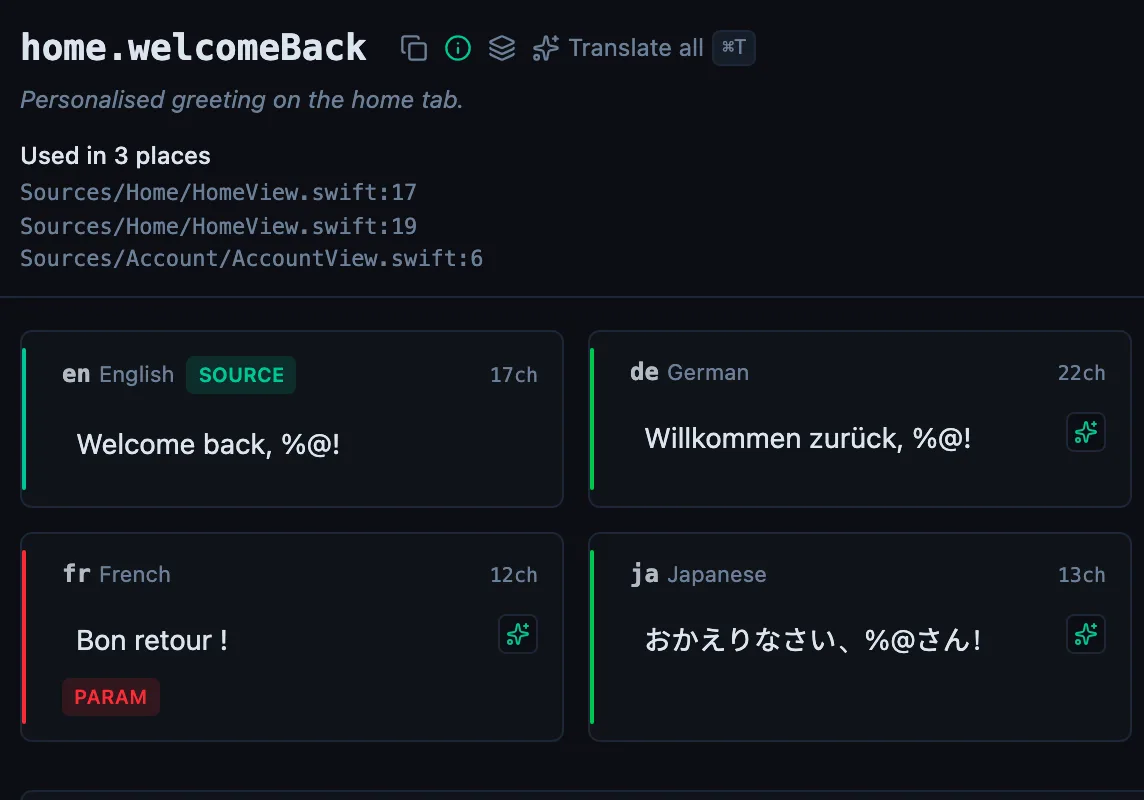
The detail pane shows it under the key name.
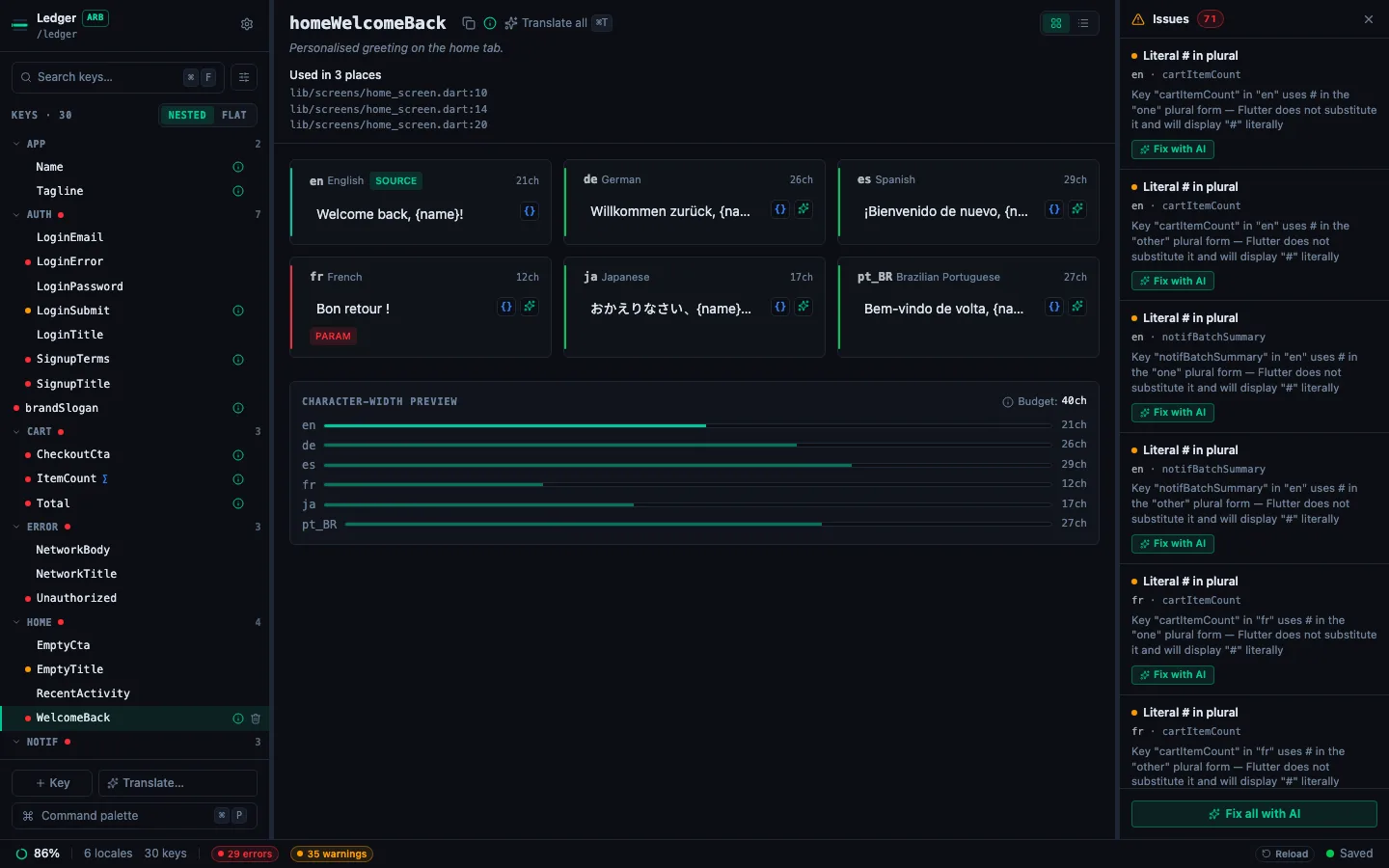
Used in N places, then the file and line of each call site. Past the first ten, Show all opens the rest.
When nothing calls it, the pane says so, and says what that does and does not mean:
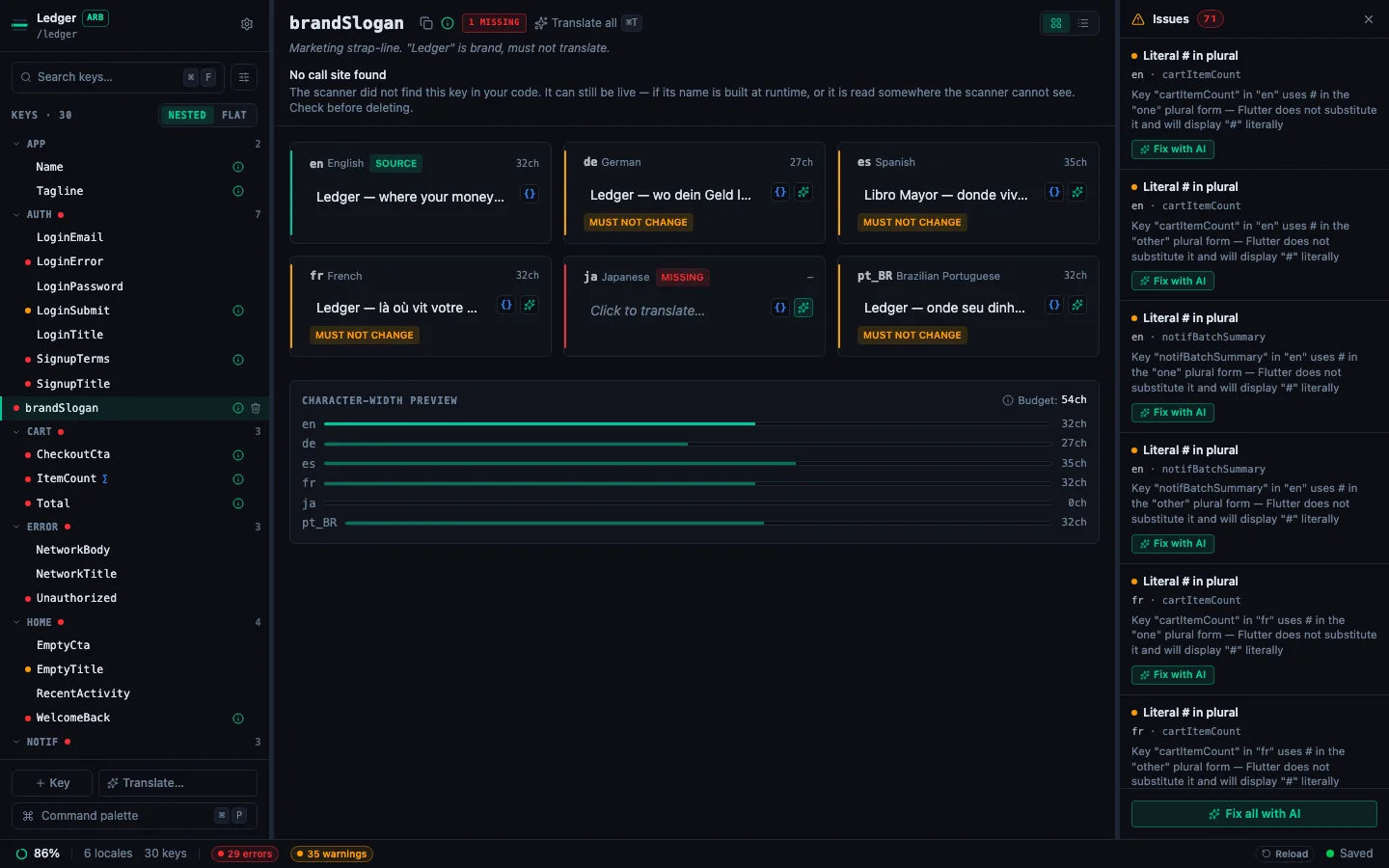
That caveat sits beside the finding rather than in this page, because it is the finding people act on.
Filtering the sidebar to unused keys#
Open the filter popover in the key sidebar and turn on Show only unused.
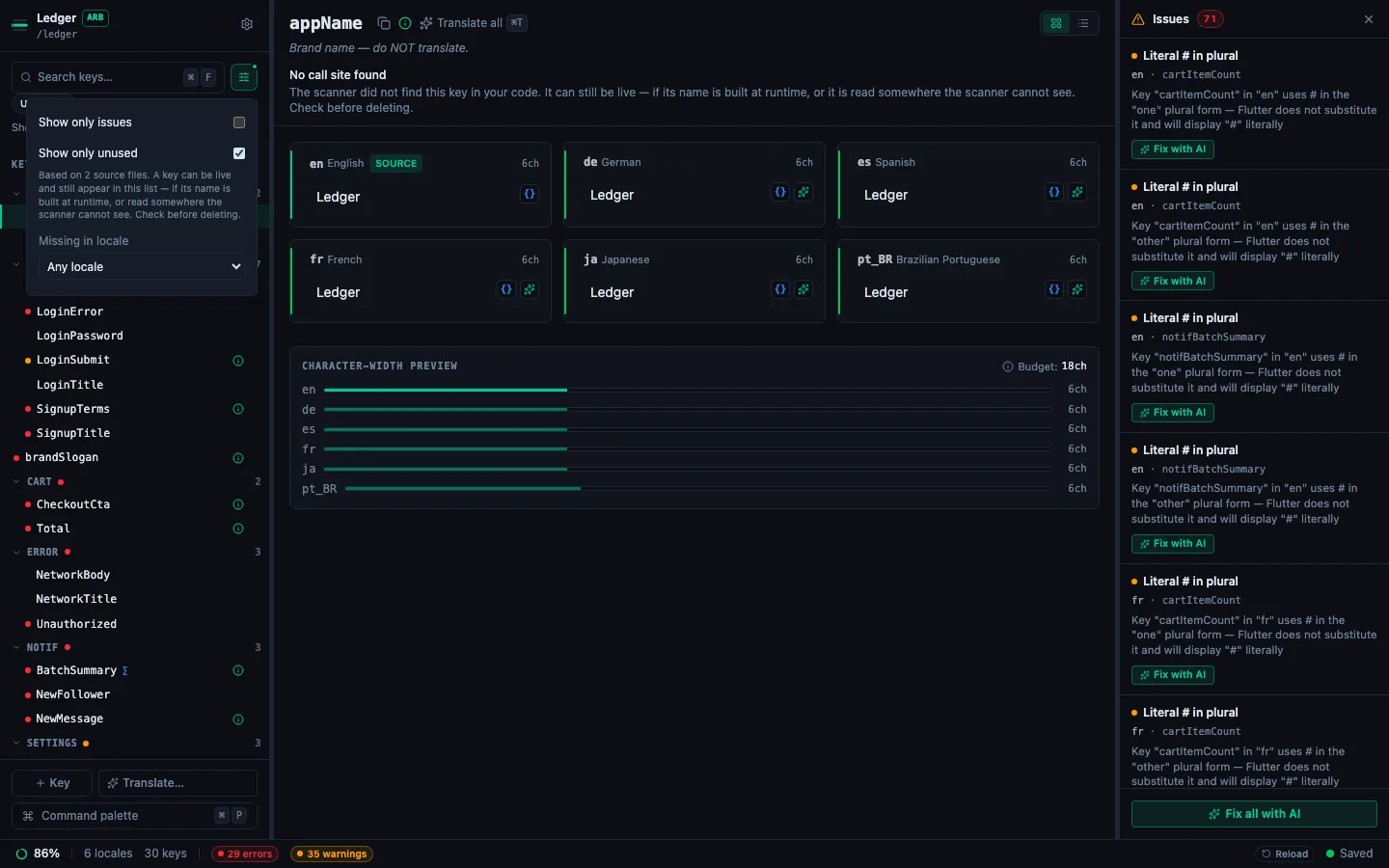
The line under the toggle is the important one. It says how many source files the answer is based on, so you can tell an answer from an absence of one.
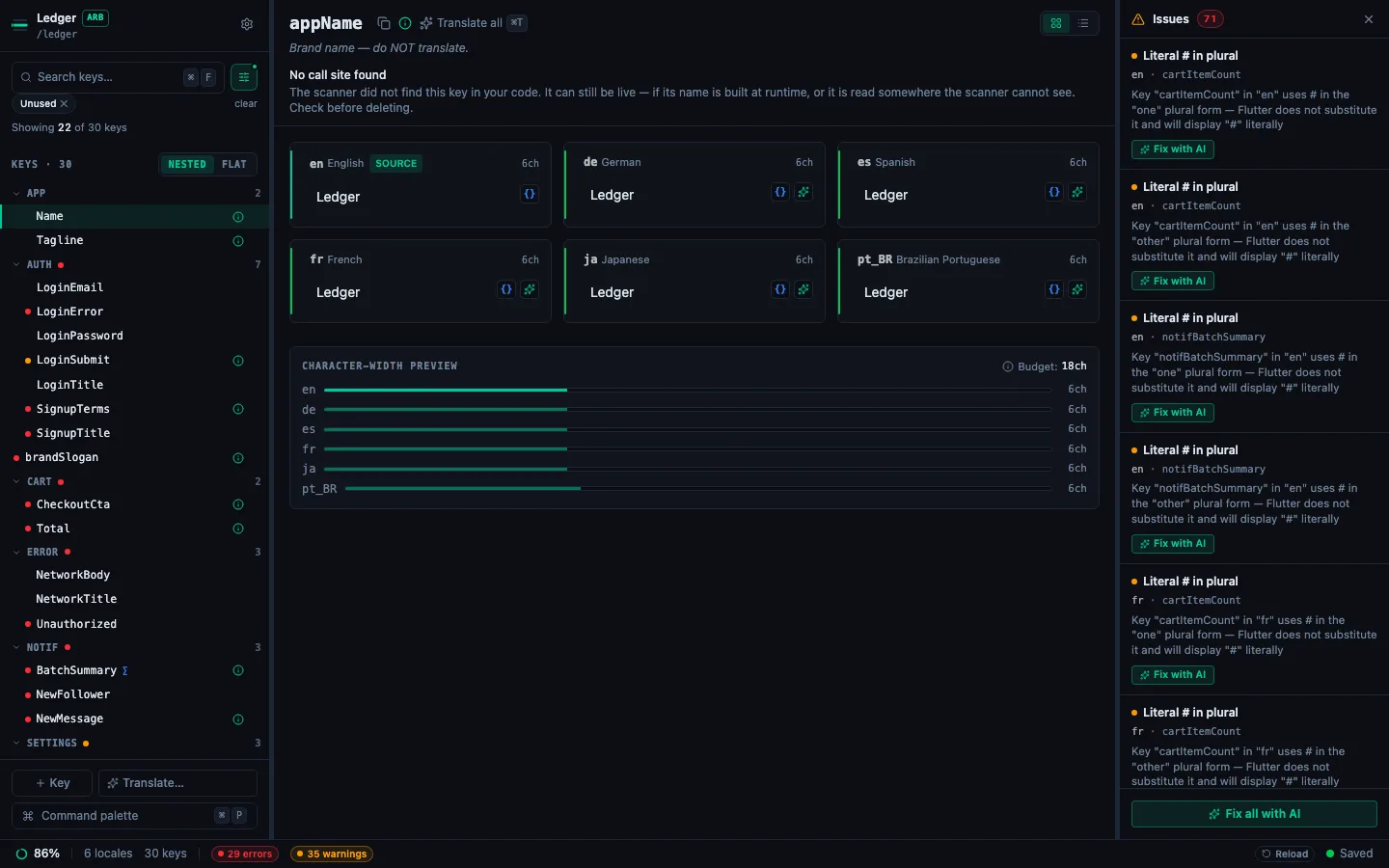
An Unused chip stays visible while the filter is on, with the count beside it, so a filtered list is never mistaken for the whole project.
Not scanned is not the same as nothing found#
A project StringLane has not read yet says not scanned, never "used in 0 places".
Those two look identical in a list and mean opposite things, and only one of them is a reason to delete something. If StringLane read no source files at all, or read them and recognised no keys in them, it tells you that and reports nothing as unused rather than reporting everything. It also refuses when every use it found in Swift is only a possible use (see below) and none of them matches a key in your project, as happens when an app calls its strings through a wrapper.
The scan starts after your project opens, not before, so it never delays the editor.
What the scan can see#
Four ways a key can be live and still appear in the unused list:
- its name is built at runtime:
t('errors.' + code)is invisible to any scanner; - it is called through a wrapper StringLane does not recognise;
- it is named only in a file type the scan does not read;
- it is read directly out of the locale file by the platform, which is how iOS
InfoPlist.stringsand some Android resources work.
And one way a dead key can stay off the list: in Swift, a key whose text also appears as an ordinary string in your code, such as a log message or a dictionary key, counts as a possible use, so it is not reported as unused even when no screen shows it.
Some Flutter spellings are not followed yet, so a key used only this way appears in the unused list:
- an alias of an alias, such as
final t = l10n;thent.save, or the accessor reached through another object, such aswidget.l10n.save; S.currentbound to a name first, such asfinal s = S.current;thens.title;- slang: a top-level key with no nesting (
t.hello), or a key looked up by string (t['a.b']); - easy_localization:
LocaleKeysfor a nested key, because the generator turns dots into underscores and that cannot be reversed; - any call through a renamed import, such as
show tr as Tr.
Silencing a key that is built at runtime#
For a key you have checked and know is live, the panel has a decision rather than a dismissal. Open Key Metadata for it and tick Called dynamically, under Code usage. The key stops being reported as unused, and the detail pane says Not reported as unused in place of the usual note, so a later session does not re-litigate a question you have already answered.
It is a record in your repository, not a local preference: x-dynamic-key in the @key block on ARB, and in .stringlane/metadata.yaml on the other four formats. That means it is committed, it applies to everyone on the team, and stringlane scan and stringlane check honour it too, because both read the same metadata. Unticking it drops the field rather than recording a false.
For a whole family of runtime-built keys, a pattern is the better tool: see ignore patterns in the CLI, which stringlane.yaml carries for both surfaces.
Before you delete anything#
- Search for the key yourself, including any runtime spelling that differs from the one shown.
- Never delete keys in the same change as anything else. A deletion that turns out to be wrong needs to be revertible on its own.
The same answer is available outside the app: stringlane scan from a terminal, and the read_key_usage tool for a coding agent. See Unused keys in the CLI.
Frequently asked questions
- How do I find unused translation keys in StringLane?
- Open the filter popover in the key sidebar and turn on Show only unused. The list narrows to keys no call site in your source code names, and an Unused chip stays visible so you always know the list is filtered. Treat it as a starting point for a search rather than a delete queue.
- Is a key StringLane reports as unused safe to delete?
- Not on its own. Not referenced means no call site was found, not that the key is dead. A key whose name is built at runtime, called through a wrapper StringLane does not recognise, named only in a file type it does not read, or read straight out of the locale file by the platform will appear in that list and still be live. Search for it before deleting, and never delete keys in the same change as anything else.
See every locale side by side
The desktop app flags what is missing or broken on the cell, and saves to your files.
14-day trial, no email