Desktop app macOS, Windows, Linux
See every locale at once.
Every language side by side, problems flagged on the cell, every edit saved straight to your files. The localization editor for iOS, Android, Flutter and web apps.
For macOS, Windows and Linux14-day trial, no email · $49 once

Spanish needs “many”. English never did.
Built for locale files, not bolted onto an editor.
Add a key once
It lands in every locale file, ready to translate.
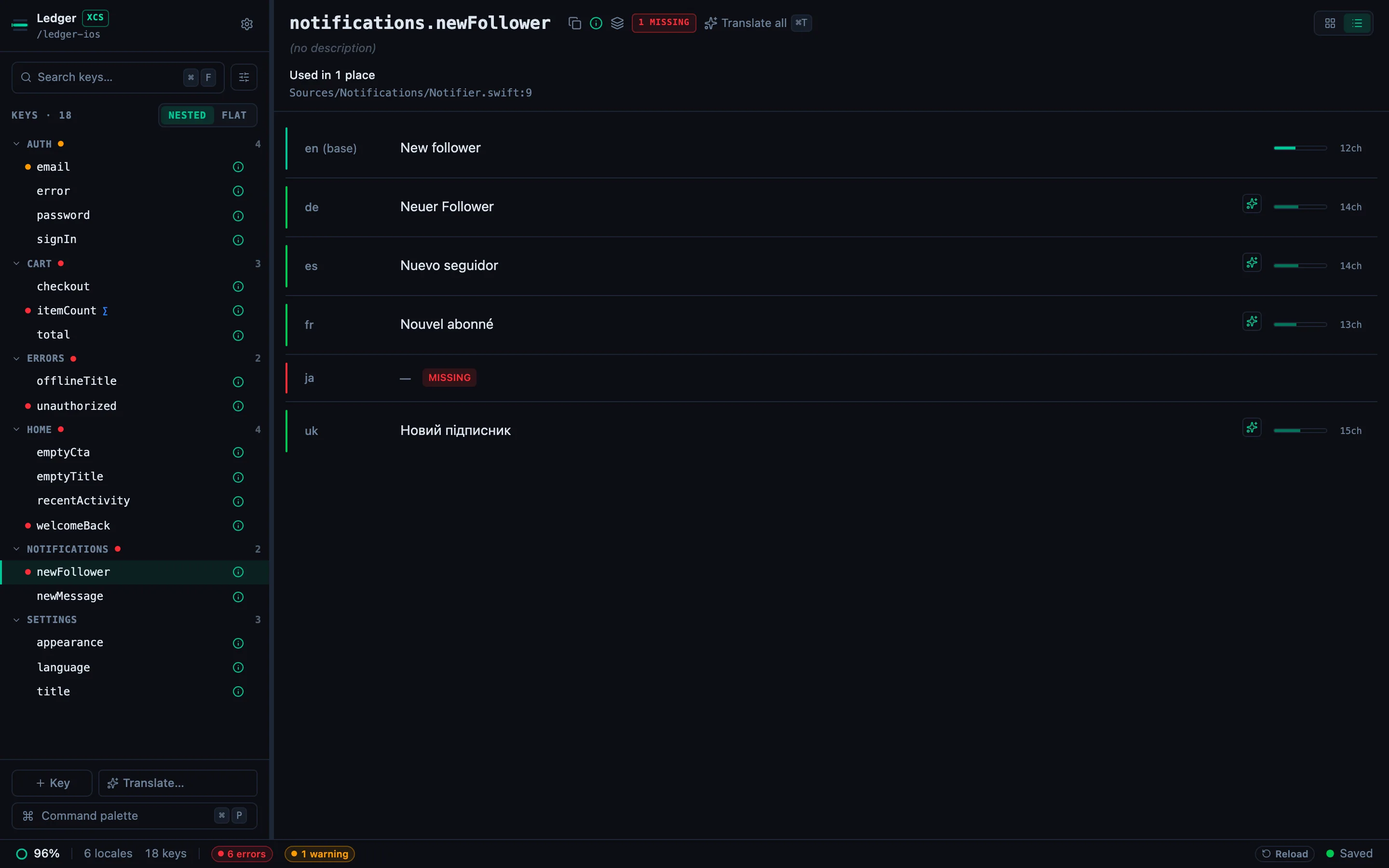
Broken strings come with a fix
Missing and broken strings are listed with a Translate or Fix with AI button, using your own AI key.
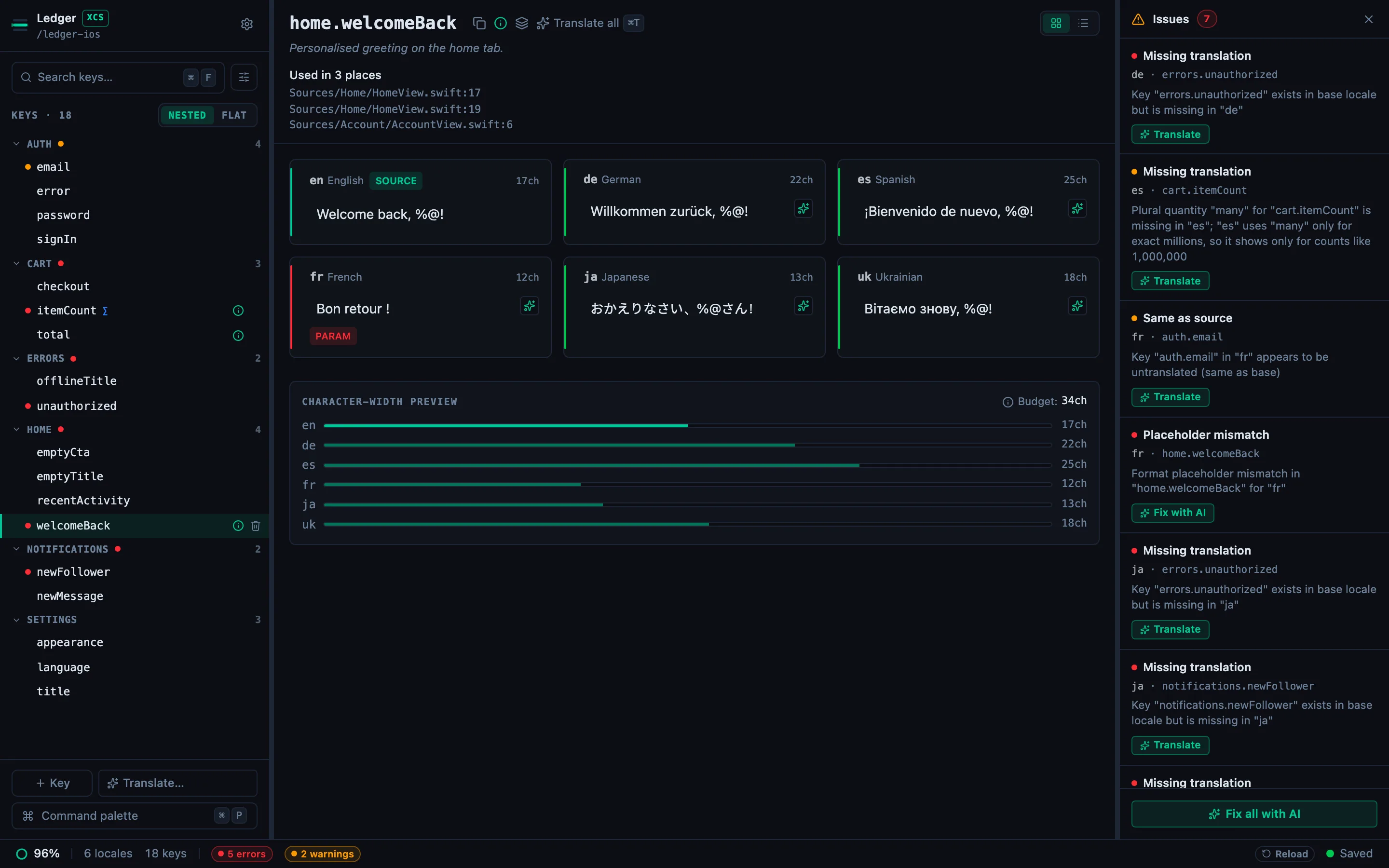
Keys your code no longer calls
It reads your source and shows where each key is used. Reported, never deleted.
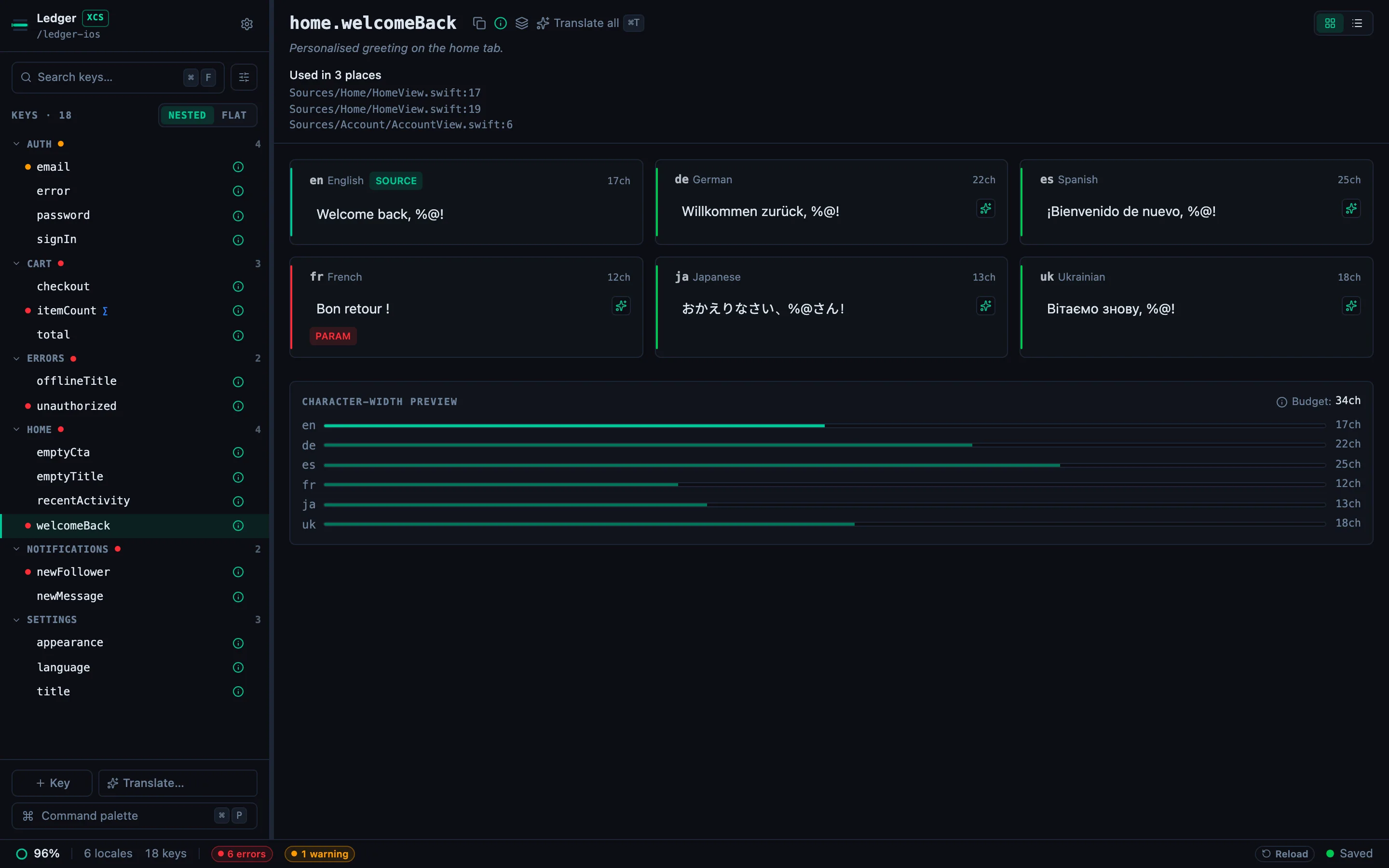
Plurals, done by the rules
Each language gets the CLDR forms it needs, and nothing it doesn’t.
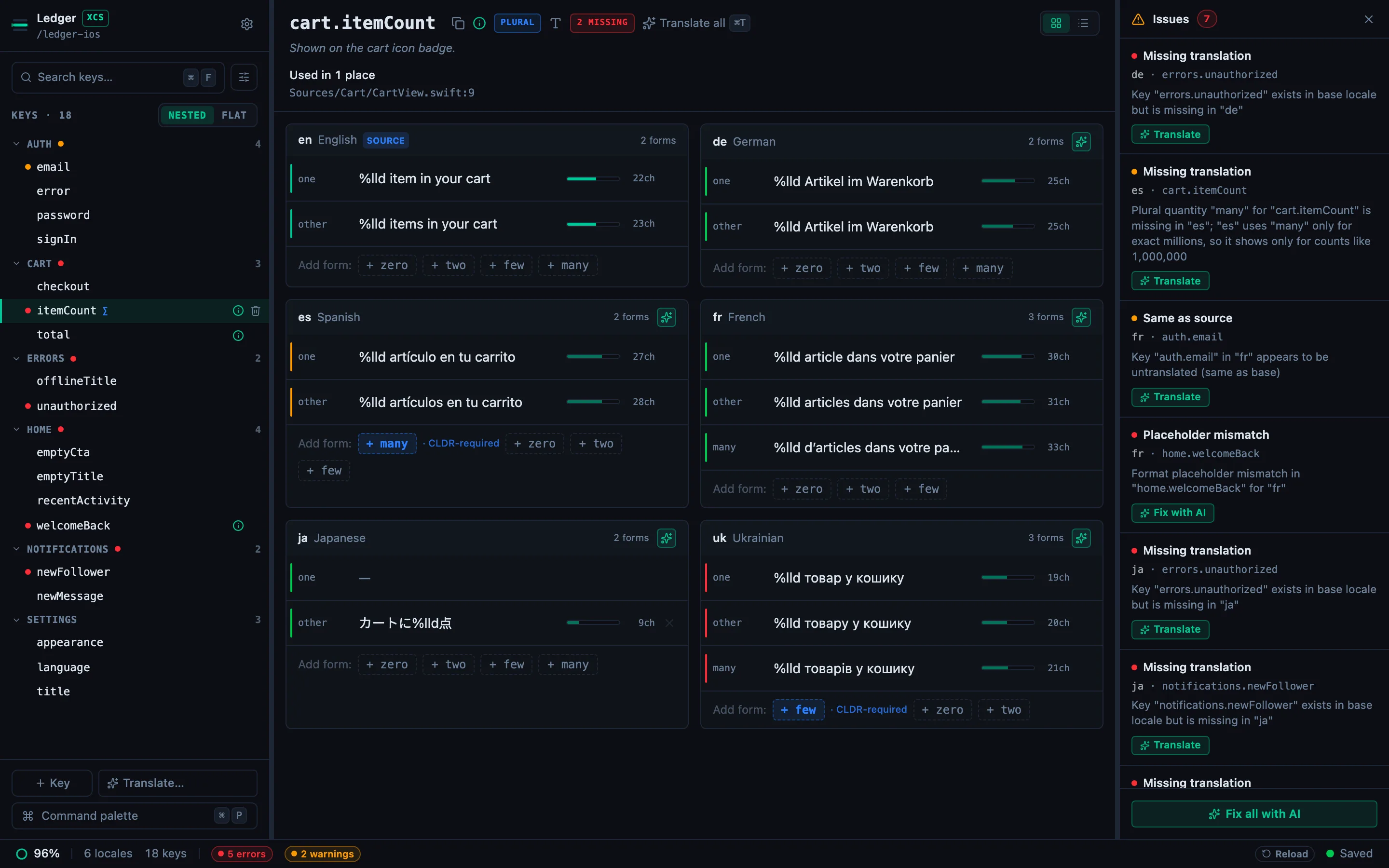
What it checks, in every language.
Structure, not taste. Whether a sentence reads well is still yours, side by side.
Missing keys
Per locale, and per plural form the language needs.
missing_keyPlaceholders
{name}, %@ and %lld survive translation.
placeholder_mismatchPlural forms
Every form the language’s CLDR rules need, in every locale.
same_plural_formsICU syntax
Unclosed braces and broken selects, before the build does.
icu_parse_errorGuarded terms
Flags a brand or product name that got translated.
guarded_word_violationLength limits
Per-key budgets, so a German label still fits its button.
max_length_exceededStale translations
A translation made before its source text changed, once source stamps are on.
translation_stale
Two fixes, one diff.
Open a sample iOS project, fix a dropped placeholder and a missing Spanish plural form by hand, then read the git diff.
74 seconds, no sound. Every step is captioned on screen.
Screen recording of the StringLane app on a sample iOS project. The French greeting has lost its %@ placeholder and Spanish has no many plural form. Both are typed back in by hand, then a plain git diff of Localizable.xcstrings shows the change.
Opens the files you already have.
Xcode String Catalogs
Localizable.xcstringsiOS, macOS
Strings files
.strings · .stringsdictiOS, macOS
Flutter ARB
app_en.arbFlutter
Android XML
values/strings.xmlAndroid
i18next JSON
en/common.jsonWeb, React Native
Price
Desktop app
$49once
- 14-day trial, no email, no card
- macOS, Windows and Linux
- 3 machines, updates in the major version
- Your own AI key, or a local model
Early-adopter price, $79 after launch. The trial needs an internet connection at every launch.
Lokalise starts at $144 a month (checked July 2026). StringLane sells no AI credits.
Will StringLane modify or reformat my localization files?
@key descriptions and key order, iOS .strings quoting style and comments, .xcstrings JSON shape, Android XML formatting and <plurals> ordering, i18next nested-vs-flat layout and CLDR suffix convention. It saves in the same format it found. Open the same file in VS Code before and after: the diff shows only the lines you actually changed. One exception: in an iOS project with several modules, the first save that writes the catalog can add a /* Localizable.strings */ header line to a .strings file that has none.What happens to my files if I uninstall StringLane?
I already translate with ChatGPT or Claude. Why would I need this?
Where do my strings go when I use AI translation?
Is ARB the main format and everything else an afterthought?
.strings (iOS), .xcstrings (Xcode 15+ String Catalog), Android XML, and i18next JSON. The core parser for each was built and tested independently, not shimmed on top of a JSON converter. You can open a mixed project and see missing keys flagged the same way across all of them. Plurals work per-format in their native shape: ICU for ARB and i18next, Apple variations for xcstrings, .stringsdict for iOS, and <plurals> for Android. If you're new to either: what the .xcstrings format is and what an ARB file is.Does StringLane run on Windows and Linux, or just macOS?
.deb if you prefer your package manager). One honest caveat: the Windows build isn't code-signed yet, so SmartScreen shows an “unknown publisher” warning on first run: click “More info” → “Run anyway”. Checksums for every build are published alongside the downloads.Let your coding agent use the same checks.
Free. Paste this into Claude Code, Cursor, Codex or five other agents.
Read https://stringlane.app/docs/cli/agent-setup.md and set up StringLane for this project.