How to Bulk-Translate a Locale
Fill all missing translations in a locale with one click, with progress tracking and cancel support.
Last updated
Bulk translation sends all missing (or all) keys in a locale to your AI provider, a few requests at a time, and checks every result as it lands. It's the fastest way to get a new locale from empty to complete.
Requirements#
Configure an AI provider in Settings → App → AI Providers first. See Set Up AI Translation in 5 Minutes.
Starting a bulk translation#
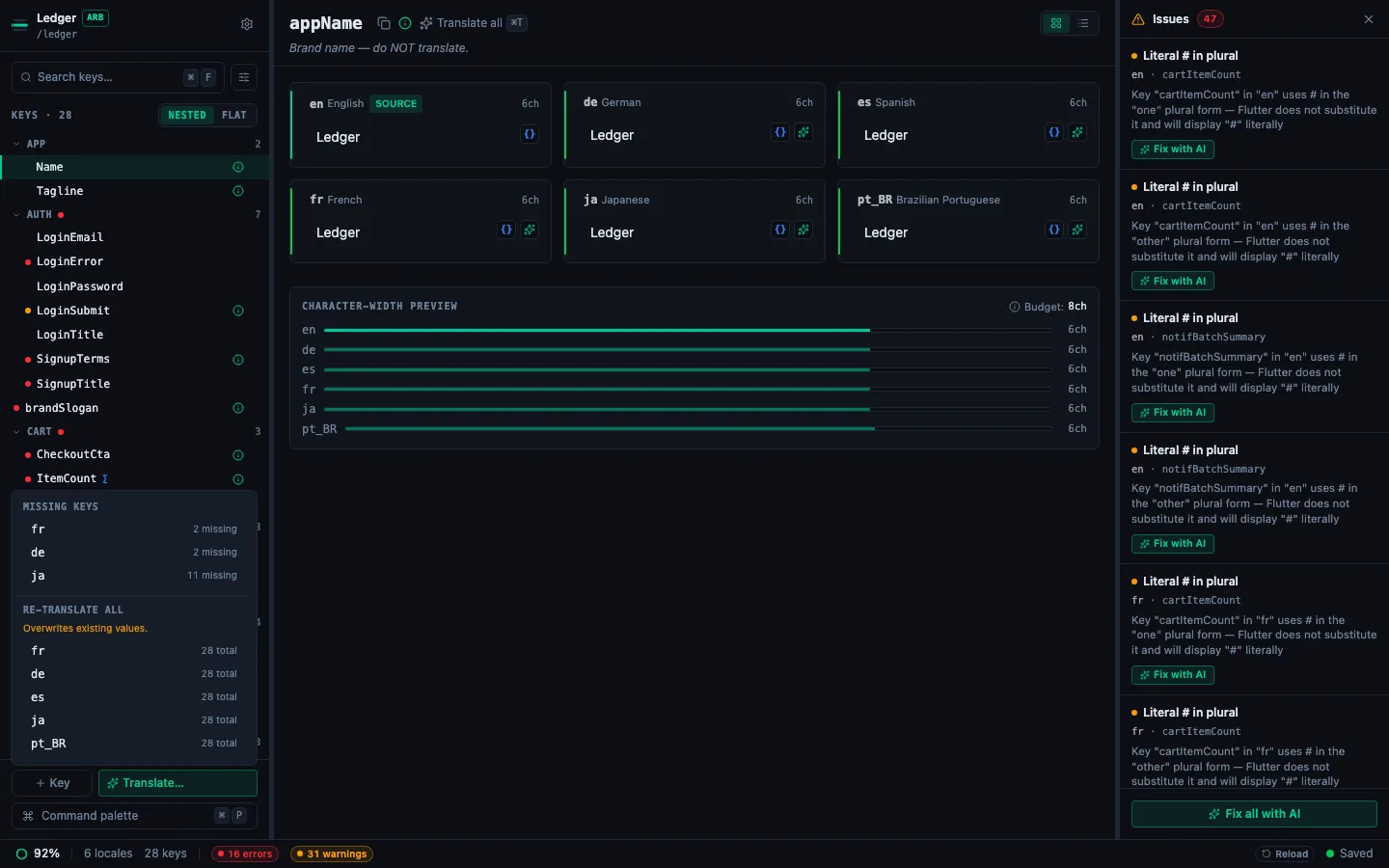
Click ✨ Translate… in the sidebar footer, next to + Key. The popover has two groups:
- Missing keys: one row per locale that still has gaps, with the count (
fr · 2 missing). The count is the number of keys a missing-only run translates, so a plural key with some forms filled counts once. Translates only those keys and leaves existing values alone. - Re-translate all: one row per non-base locale, with the total key count. Overwrites every existing value, and says so.
Pick a row to open the bulk translate dialog.
Tip: prefer the Command Palette's Translate all missing with AI when you want to fill gaps across every non-base locale in one pass: see How to Translate All Missing Cells at Once. The Translate… popover is the right tool for a single-locale focused pass.
The bulk translate dialog#
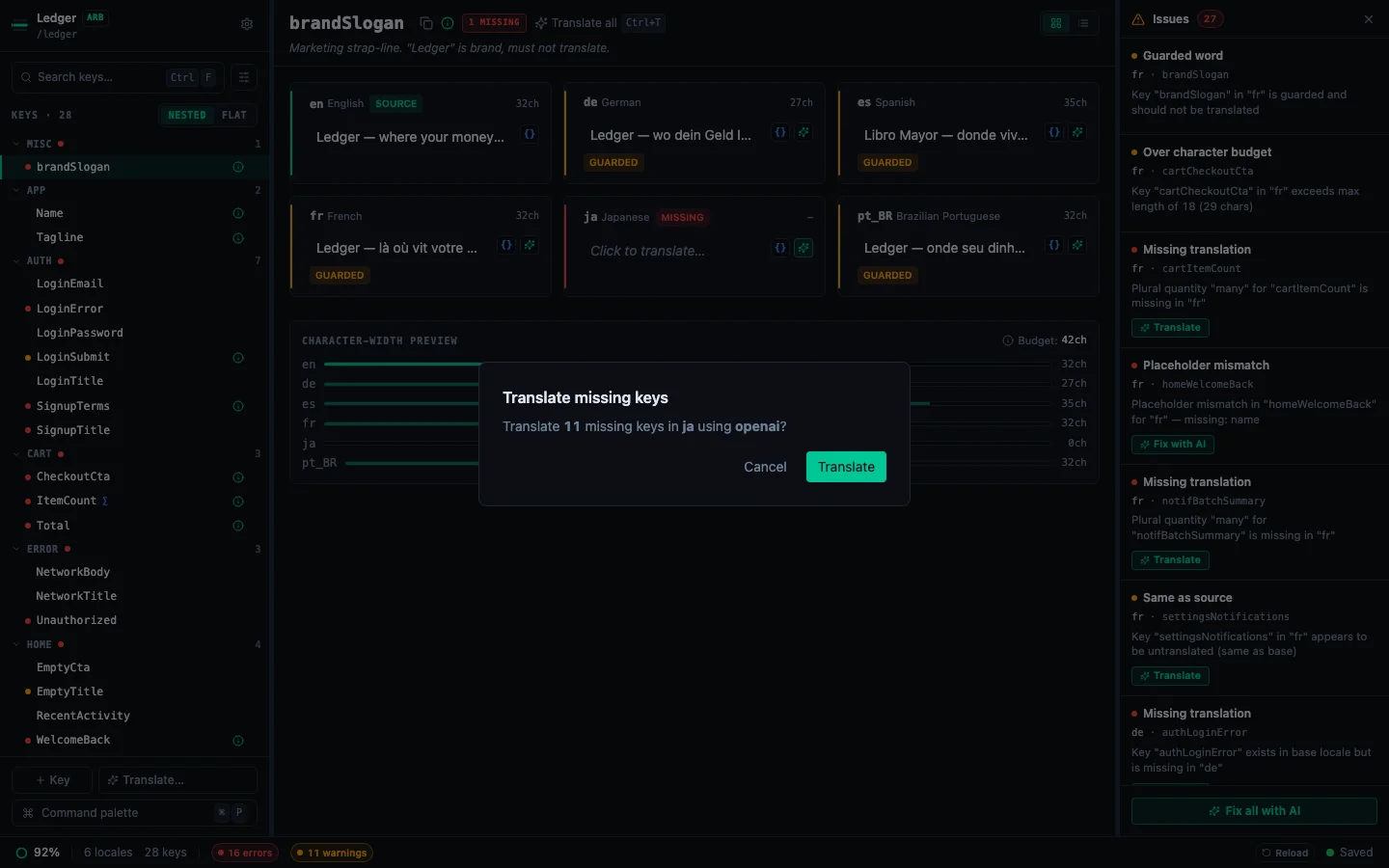
The dialog shows:
- The target locale and provider you're using
- The number of keys that will be translated
- A confirmation button to start
Click Translate to begin. A progress bar tracks the current key number.
Cancelling#
Click Cancel at any time. StringLane aborts the request in flight and starts no new ones, so the run stops without waiting for the current translation to finish. Translations from requests that finished before you cancelled are kept and saved. Keys the run never reached stay untranslated and are not counted as errors.
Results summary#
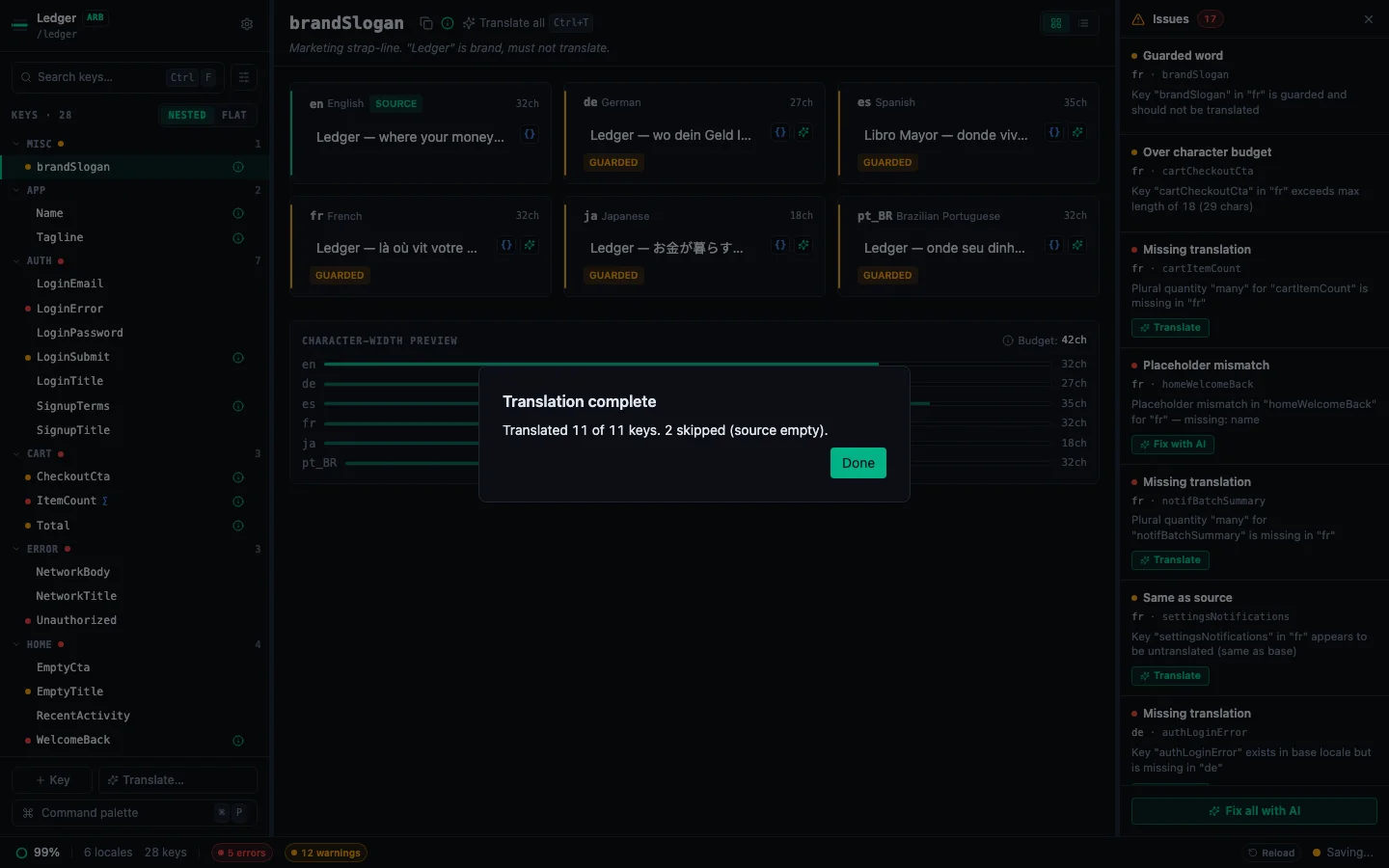
When the run completes (or is cancelled), a summary shows:
- How many keys were translated, in the form
Translated N of M keys., followed by how many were skipped because the base value is empty and how many failed - The names of the failed keys, and the last error message from your provider
- Re-run, whenever keys are left over after errors or a cancel. It retries only those leftover keys, never the ones the run already wrote.
- Done, to close the dialog
Every key in the bulk run lands in exactly one count: translated, skipped, failed, or (after a cancel) not reached. Re-run attempts the failed and unreached keys, and nothing else.
Failed keys typically happen due to transient API errors. Retry them with Re-run, or one key at a time with ✨. StringLane retries each failed key up to two times before marking it as failed.
Tips for best results#
- Add product context first. Bulk runs use the same prompt as single-key translation. Better context = better results across all keys. See Configure Guarded Words and Product Context.
- Raise reasoning effort for hard targets. For Ukrainian, Polish or Czech, set Reasoning effort to Balanced or High in Settings → App → AI Providers before a bulk run, because plural agreement is where cheap models fail most often across a whole locale at once.
- Set how many requests run at once. Settings → App → AI Providers → Concurrent requests (1 to 8, default 2) is the number of requests a bulk run keeps in flight. Raise it if your provider plan allows more requests per minute, and lower it if you see rate-limit errors. Most local servers handle one request at a time, so raising it rarely helps there.
- Use Missing keys on the first pass. Re-translate all is useful for refreshing translations after changing your product context or guarded words, but it will overwrite any manual corrections you have made.
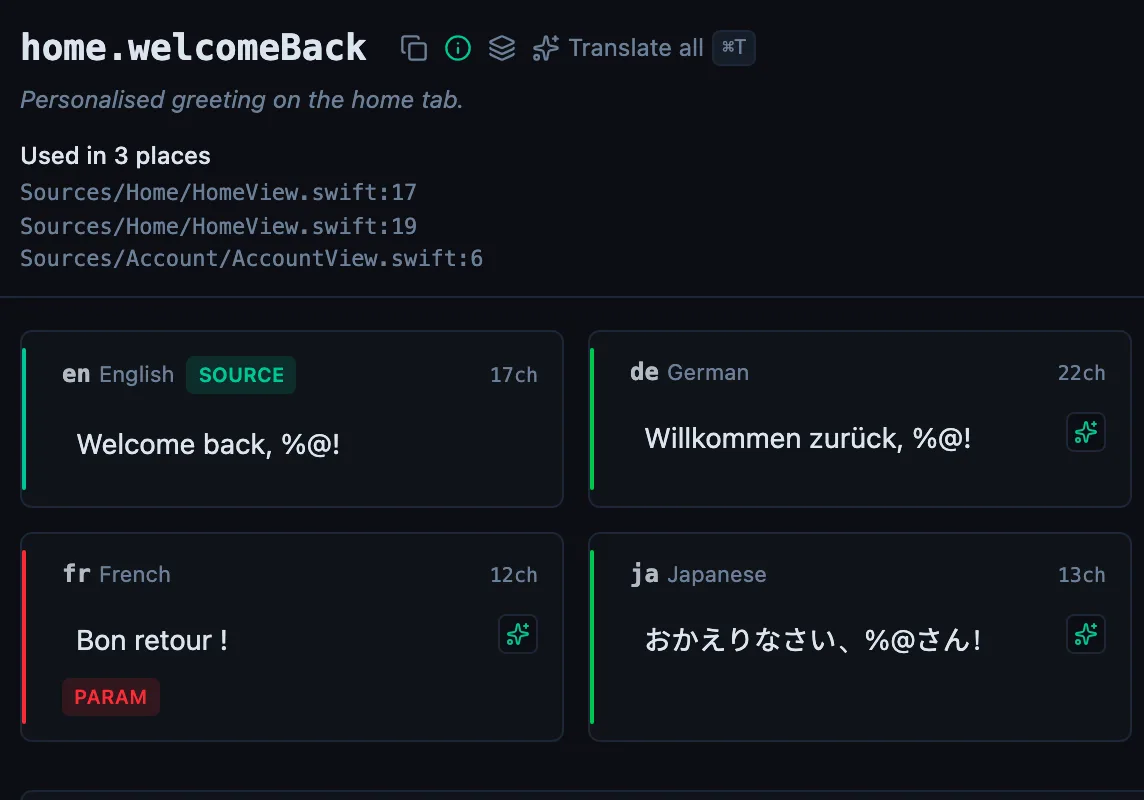
- Check for Param and ICU badges after the run. Bulk translation sometimes produces placeholder mismatches on strings with variables. Fix these manually or re-translate individual keys.
See every locale side by side
The desktop app flags what is missing or broken on the cell, and saves to your files.
14-day trial, no email