Where Key Metadata Is Stored: .stringlane/metadata.yaml
Which annotations your locale files keep themselves, what goes into .stringlane/metadata.yaml, and why that folder belongs in your repository.
Last updated
A translation key can carry four annotations beyond its translations — a description, a max character length, a Must not change flag and a Not for translation flag — plus, on ARB, a table of typed placeholders. You edit all of them in the same place, the Key Metadata panel. This page is about where they end up on disk.
The rule is one sentence: whatever your format can hold, your format holds. Everything else goes
to .stringlane/metadata.yaml beside your project.
The first half of that is what matters day to day, because it is what your teammates see without
running StringLane. A description written in the panel is the /* … */ above your .strings
entry, the <!-- --> above your <string>, the comment in your String Catalog, the
description in your ARB @key block. Someone editing it in Xcode or Android Studio is editing
the same thing you are, and there is no second copy of it anywhere to go stale.
What each format keeps in your own files#
Everything marked — goes to .stringlane/metadata.yaml. So a Flutter project gets no
.stringlane/ folder at all — the @key block already holds every field the panel can set — and
an i18next project keeps all four there, because a JSON locale file has nowhere to put them.
Two more fields the table does not have a column for, because only one format can hold them:
Disable character budget (disabledBudget) and Called dynamically (dynamicKey). ARB keeps
both in the @key block as x-disabled-budget and x-dynamic-key, since that block is an open
JSON object. Every other format routes them to .stringlane/metadata.yaml, because none of them has
a native flag for either idea. Clearing Called dynamically drops the field rather than writing a
false, for the same reason: there is no native flag underneath it to fall back to.
Plural keys follow the same table with one exception. On iOS .strings a plural key does not
live in Localizable.strings at all; it lives in the companion
.stringsdict, which has no comment syntax. So on that format a
plural key's description goes to .stringlane/metadata.yaml while a string key's description goes
to your file. Every other format treats its plurals exactly as it treats its strings.
Comments in .xcstrings, strings.xml and .strings round-trip#
Open a project that already has comments and they load as descriptions without you doing anything —
the comment an Xcode author wrote in a String Catalog, the <!-- --> above a <string>, the
/* */ above a .strings entry. Edit one in StringLane and the comment it came from is rewritten
in place. Nothing is duplicated into a second store.
Two consequences are worth knowing before you read a diff:
- A description is one line. It is one line everywhere in the app, and it is better that the
file and the panel agree than that they quietly differ. What that costs depends on the format. In
a
.stringsfile, a comment you have not edited comes back exactly as you wrote it, line breaks and indentation included; only a description you actually change is rewritten as a single line. Instrings.xml, a multi-line comment above a key becomes one line on the first save, edited or not — the comment there is rebuilt from the description rather than kept separately, which is what makes editing it in StringLane replace the right comment instead of adding a second one. - A double hyphen (
--) in an Android description comes back fromstrings.xmlwith a space inserted. XML gives comment text no way to escape one, and writing it as-is would produce a file that cannot be reopened.
What .stringlane/metadata.yaml looks like#
keys:
  cart.empty.title:
    description: Headline on the empty shopping-cart screen
    maxLength: 24
  app.name:
    guarded: true
  api.base_url:
    noTranslate: true
  errors.network_timeout:
    dynamicKey: true
One block per key, keys sorted by name, only the fields you actually set. The same edits produce the same file whatever order you made them in, so it diffs and merges like any other text file in a review.
A field StringLane cannot read is left out of the panel rather than corrected — a maxLength of
0, -5, 24.5 or "twenty" is not a character count, and treating one as a limit would flag
every translation in every language as too long. Your file is not rewritten to remove it: it stays
exactly as you typed it so you can fix it in your editor. Anything else in the file — a field a
future version adds, a field you added yourself — is preserved and written back untouched.
.stringlane/ belongs in your repository#
.stringlane/metadata.yaml is authored data: text you typed, or asked the AI to write. It is
meant to be committed and shared, exactly like the locale files beside it.
A blanket dot-directory rule in
.gitignorewill silently exclude it. A line like.*or.*/— common in repositories that want editor and tool folders kept out — matches.stringlane/too. Nothing warns you. The folder is created, the file is written, your teammates never receive it, and every description you wrote is missing on their machines.
If your .gitignore has such a rule, add an exception below it:
.*
!.stringlane/
The folder is created lazily. A project that has never had metadata gets no .stringlane/
until you actually set a field that your format cannot store itself, so nothing appears in your
repository until there is something to keep. And if the file exists but StringLane cannot
understand it — a bad hand edit, a merge left half-resolved — it is not overwritten. Your file
is left exactly as it is so you can fix it in your editor.
.stringlane/metadata.yaml is not stringlane.yaml#
Two similar names, two different jobs:
stringlane.yaml, at your project root, holds the project's settings — its format, the discovered locales path, the base language. Also committed..stringlane/metadata.yamlholds the per-key annotations this page is about.
What never goes in .stringlane/metadata.yaml#
.stringlane/metadata.yaml holds authored data — what you wrote. StringLane also has derived
per-key data on its roadmap: translation history, a key usage graph, related keys, context read out
of your source code. None of that is authored, all of it can be rebuilt by reading your project
again, and it does not belong in a repository.
When it lands it will be a regenerable index sitting beside the committed file and gitignored — never a replacement for it. The line is authored versus derived, not small versus large: a long description you wrote by hand belongs in the repo, and a large index StringLane can rebuild in a second does not.
Related#
- How to Add Key Descriptions and Limits on Any Format — setting the four fields, and generating them with AI
- How to Work with ARB Metadata Annotations — the
@keyblock in detail, for Flutter projects - How to Read Validation Badges — the Length and Guarded badges these fields drive
Frequently asked questions
- What is the .stringlane folder?
- It is where StringLane keeps per-key annotations your locale file has no field for. Only one file lives in it today, .stringlane/metadata.yaml, holding a description, max length, must-not-change flag, not-for-translation flag, disabled-character-budget flag and called-dynamically flag per key. It is created the first time you set a field that your format cannot store itself, so a Flutter/ARB project never gets one.
- Should I commit .stringlane/metadata.yaml to git?
- Yes. It is text you wrote — translator notes and character limits — not machine state, and your teammates need it the same way they need the locale files beside it. It is plain YAML with keys sorted by name, so it diffs and merges like any other file in review.
- Why is my .stringlane folder missing from git?
- Most often a blanket dot-directory rule in .gitignore. A line like .* or .*/ matches .stringlane/ too, and nothing warns you: the file is written locally, never committed, and every description you wrote is missing on your teammates' machines. Add an exception line, !.stringlane/, below the blanket rule.
- Does StringLane put my descriptions in my own files or in its own?
- Whichever your format can hold goes in your own file: an ARB @key block, an .xcstrings comment, the /* */ above a .strings entry, the <!-- --> above an Android <string>. Only what the format has no room for goes to .stringlane/metadata.yaml. There is never a second copy of a field your file already holds.
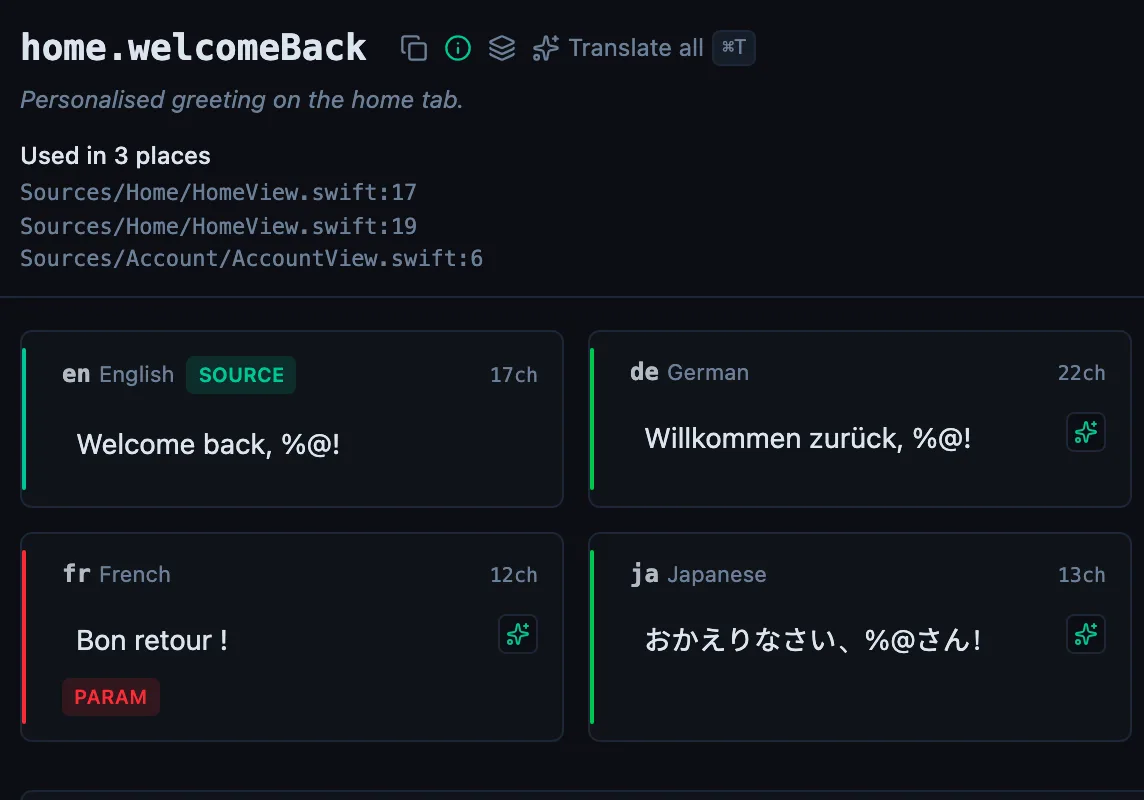
See every locale side by side
The desktop app flags what is missing or broken on the cell, and saves to your files.
14-day trial, no email